Blog

  • Handwritten and Multi-Language Invoice Processing for Global Businesses

    Handwritten and Multi-Language Invoice Processing for Global Businesses

    Introduction

    Global businesses increasingly work with suppliers, vendors, and partners across multiple countries. While international sourcing offers operational advantages, it also introduces new financial complexities especially when it comes to managing supplier invoices.

    Companies often receive invoices in different languages, currencies, and formats. Some vendors still issue handwritten bills, while others send scanned PDFs, email attachments, or region-specific templates that vary widely in structure. Processing these invoices manually can create significant operational challenges for finance teams.

    Without a structured system, businesses may face:

    • Data entry errors
    • Delayed supplier payments
    • Duplicate invoice entries
    • Tax misclassification
    • Increased audit risk

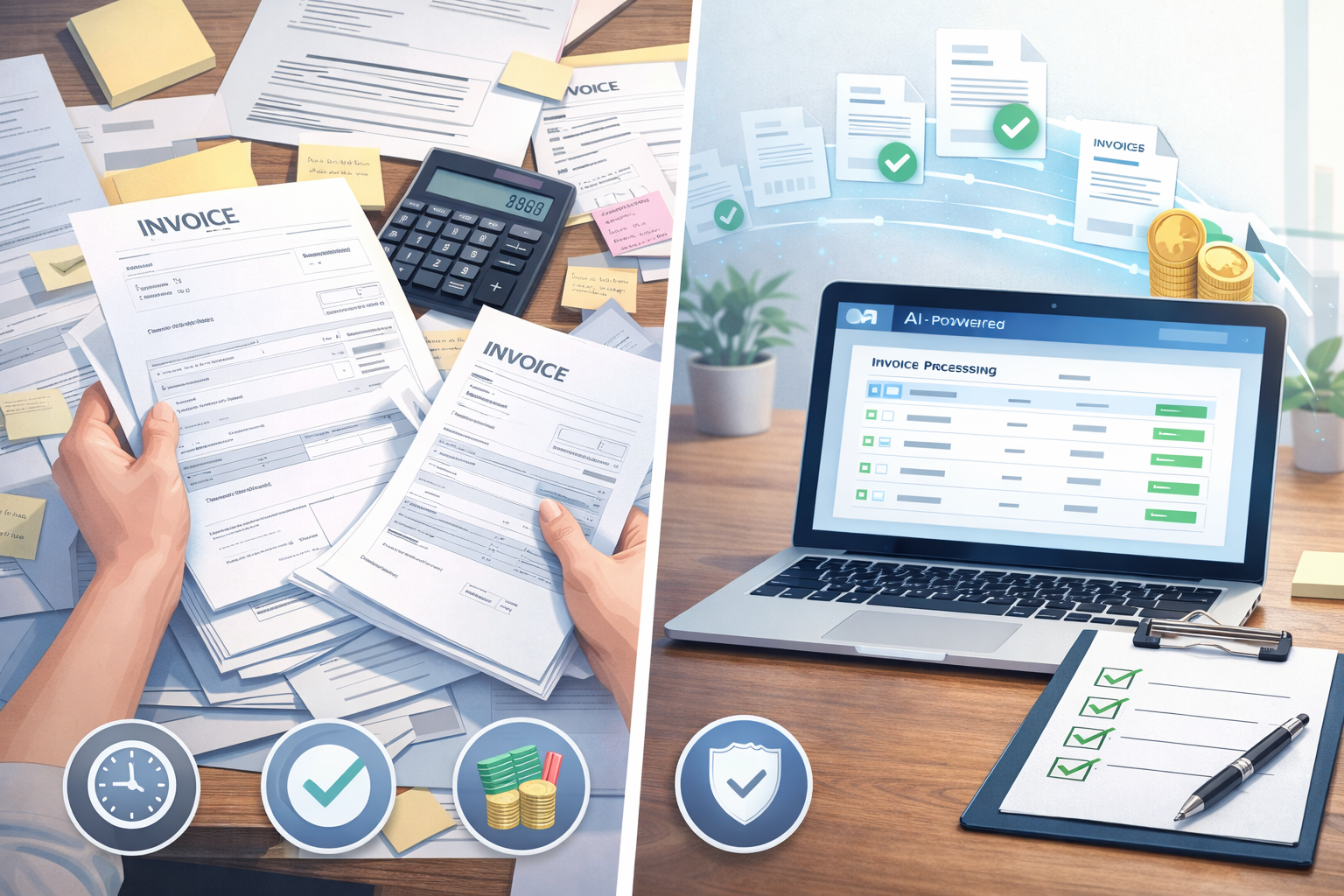
    This is where handwritten and multi-language invoice processing becomes essential. Modern solutions combine invoice data entry services, OCR invoice processing, and accounts payable automation to accurately capture invoice data regardless of language or format.

    By implementing structured invoice processing workflows, global businesses can improve accuracy, maintain compliance with international tax regulations, and streamline accounts payable operations.


    Why Invoice Processing Becomes Complex for Global Businesses

    Managing invoices domestically is already time-consuming. When suppliers operate across multiple countries, the complexity increases significantly.

    Global organizations must process invoices that differ in:

    • Language
    • Tax systems
    • Currency formats
    • Vendor documentation standards
    • Regulatory requirements

    Common complexities in global invoicing

    Finance teams often deal with:

    • Different invoice layouts from international suppliers
    • Currency conversions
    • Country-specific tax terminology
    • Regional accounting compliance requirements

    For example:

    • A supplier in Germany may list VAT as “MwSt” (Mehrwertsteuer)
    • A French vendor may show “TVA” (Taxe sur la Valeur Ajoutée)
    • An Indian vendor may include GST split into CGST and SGST

    Without proper multi-language accounting support, finance teams may misinterpret tax fields or incorrectly record financial data.

    This is why many organizations rely on OCR invoice processing and professional invoice data entry services to standardize global invoices into a consistent accounting format.


    Challenges in Multi-Language Invoices

    Processing foreign-language invoices manually creates both operational inefficiencies and compliance risks.

    1. Different Tax Formats

    Tax reporting varies significantly across countries.

    Examples include:

    • GST (India)
    • VAT (Europe and UK)
    • TVA (France)
    • MwSt (Germany)

    If tax classifications are entered incorrectly, companies may face:

    • Incorrect tax filings
    • Regulatory penalties
    • Reconciliation issues

    2. Foreign Tax Terminology

    Accounting teams may struggle to interpret invoice terminology when suppliers use unfamiliar language.

    For example:

    CountryTax Term on Invoice
    GermanyMwSt
    FranceTVA
    SpainIVA
    IndiaGST

    Without translation or standardized processing workflows, these fields can easily be misinterpreted.

    3. Currency Differences

    International invoices may include currencies such as:

    • USD
    • EUR
    • GBP
    • INR
    • SGD

    Finance teams must ensure:

    • Correct exchange rate application
    • Accurate accounting entries
    • Proper financial reporting

    Errors in currency conversion can lead to incorrect profit calculations and reconciliation issues.

    4. Compliance Variations

    Different countries have different requirements for invoice documentation, including:

    • Tax ID formats
    • Invoice numbering systems
    • Mandatory supplier information

    Businesses that operate globally must maintain strict compliance with each jurisdiction.

    Professional multi-country accounts payable outsourcing services help companies handle these variations accurately.

    Related post: How to Reduce Invoice Processing Time with AI


    Risks of Handwritten Invoice Processing

    Despite digital transformation, many suppliers especially smaller vendors still send handwritten invoices or scanned documents.

    While these invoices may appear simple, they introduce serious risks.

    Common problems with handwritten invoices

    Handwritten invoices can lead to:

    • Illegible vendor names
    • Missing tax identification numbers
    • Incorrect invoice totals
    • Manual calculation errors
    • Incomplete billing details

    For example, a handwritten invoice from a local supplier may include:

    • Supplier name written unclearly
    • GST number partially visible
    • Handwritten totals that require recalculation

    These issues force finance teams to spend additional time verifying data.

    Financial and compliance risks

    Manual handwritten invoice processing can result in:

    • Duplicate payments
    • Incorrect ledger entries
    • Tax reporting errors
    • Vendor reconciliation issues
    • Audit complications

    This is why many companies now use OCR for handwritten invoices to digitize and verify invoice data before entering it into accounting systems.


    How OCR and Automation Improve Invoice Processing

    Modern accounts payable systems rely heavily on automation and artificial intelligence to process invoices efficiently.

    What is OCR invoice processing?

    OCR (Optical Character Recognition) technology scans documents and converts text from images or PDFs into structured data that accounting systems can read.

    OCR enables finance teams to extract key information such as:

    • Supplier name
    • Invoice number
    • Invoice date
    • Tax details
    • Currency
    • Line items
    • Total payable amount

    This technology significantly reduces manual data entry.

    Benefits of OCR and automation

    Implementing accounts payable automation provides several operational advantages:

    Faster processing

    Invoices can be processed in minutes instead of hours.

    Improved accuracy

    AI-based validation checks ensure data accuracy by identifying:

    • Duplicate invoices
    • Incorrect tax calculations
    • Missing supplier information

    Multi-language recognition

    Advanced OCR systems support multiple languages and automatically recognize tax terminology across countries.

    Automated approval workflows

    Invoices can move through predefined approval stages such as:

    1. Data capture
    2. Validation
    3. Manager approval
    4. Payment authorization

    This improves transparency and prevents unauthorized payments.


    Why Businesses Outsource Invoice Data Entry and Processing

    Many organizations choose to outsource invoice processing to specialized providers.

    Professional invoice data entry services offer structured workflows designed specifically for high-volume global invoicing.

    Benefits of outsourcing invoice processing

    Reduced operational workload

    Finance teams can focus on strategic tasks rather than manual data entry.

    Improved accuracy

    Specialized providers use trained teams and automated systems to verify invoice data.

    Faster invoice turnaround

    Invoices can be processed and approved faster, ensuring timely supplier payments.

    Multi-language expertise

    Outsourcing providers often support multi-language accounting support, helping businesses process invoices from different countries.

    Scalable operations

    As businesses grow and supplier networks expand, outsourced invoice processing can easily scale with increasing invoice volumes.

    This approach is particularly valuable for companies handling multi-country accounts payable outsourcing across international markets.


    How Elmmetric Simplifies Handwritten and Multi-Language Invoice Processing

    For global businesses managing suppliers across different regions, invoice processing often becomes a complex and time-consuming task. Elmmetric addresses these challenges by combining AI-powered invoice automation with fully managed bookkeeping services, allowing finance teams to process invoices accurately regardless of format or language.

    Unlike traditional invoice tools that only digitize invoices, Elmmetric provides a complete financial operations layer that combines automation with human verification.

    AI-Powered Invoice Processing

    Elmmetric’s platform uses advanced OCR invoice processing and AI-driven data extraction to automatically capture key invoice information from multiple formats, including:

    • Handwritten supplier invoices
    • Scanned PDF invoices
    • Multi-language vendor bills
    • Email invoice attachments

    The platform intelligently extracts fields such as:

    • Vendor details
    • Invoice numbers
    • Line items
    • Tax amounts (VAT, GST, TVA, MwSt)
    • Currency values
    • Payment terms

    This automation significantly reduces manual data entry and minimizes the risk of errors.


    Multi-Language Invoice Recognition

    Global supplier invoices often contain foreign tax terminology and accounting terms. Elmmetric’s system is designed to recognize and interpret these variations.

    For example, the platform can correctly process invoices that include:

    • “MwSt” (Germany) for VAT
    • “TVA” (France) for value-added tax
    • “GST” (India) with split tax components
    • International currency formats

    By standardizing this data into a structured format, Elmmetric enables finance teams to maintain consistent accounting records across countries.


    Human-Verified Data Accuracy

    While automation accelerates invoice processing, financial accuracy remains critical. Elmmetric combines AI automation with professional review workflows to ensure reliable data capture.

    Each processed invoice undergoes verification to confirm:

    • Correct tax classification
    • Accurate vendor matching
    • Valid invoice totals
    • Proper general ledger categorization

    This automation-first, human-verified approach reduces accounting errors and ensures compliance with international financial standards.


    Fully Managed Accounts Payable Support

    Elmmetric goes beyond invoice scanning by offering managed bookkeeping services that support the entire accounts payable workflow.

    These services include:

    • Invoice data entry and processing
    • Bank and credit card reconciliation
    • Accounts payable cleanup and backlog correction
    • Monthly bookkeeping management
    • Financial reporting support
    • VAT and compliance preparation

    This allows businesses to shift from manual invoice management to fully managed financial operations.


    Seamless Integration with Accounting Systems

    Elmmetric’s platform integrates with popular accounting systems such as QuickBooks and other financial tools, allowing invoice data to automatically sync with the company’s accounting records.

    Key integration benefits include:

    • Automatic ledger updates
    • Real-time financial visibility
    • Reduced manual reconciliation
    • Faster month-end closing

    By connecting invoice processing with accounting systems, Elmmetric creates a streamlined financial workflow.


    Built for Scalable Global Operations

    As businesses grow internationally, supplier invoices increase in volume and complexity. Elmmetric’s platform is designed to scale with this growth.

    Companies benefit from:

    • AI-driven invoice processing
    • Multi-country accounts payable support
    • Structured approval workflows
    • Token-based usage models for flexible scaling

    This makes Elmmetric particularly valuable for SMEs and global startups managing international vendor networks.


    Transforming Invoice Processing into Financial Operations

    Traditional invoice tools focus only on document capture. Elmmetric takes a broader approach by becoming the financial backbone for modern SMEs.

    By combining:

    • AI-powered invoice automation
    • Managed bookkeeping services
    • Human verification and compliance checks
    • Integrated financial reporting

    Elmmetric enables businesses to move from manual invoice processing to intelligent financial operations.


    Final Thought

    Managing handwritten and multi-language invoices is a common challenge for global businesses. With the right combination of automation, verification, and structured workflows, companies can significantly reduce accounting errors and improve financial efficiency.

    Elmmetric helps businesses transform invoice processing into a streamlined, AI-powered financial operation ensuring accuracy, compliance, and scalable growth.



  • Multi-Currency Reconciliation for Global Businesses

    Multi-Currency Reconciliation for Global Businesses

    Introduction

    As companies expand internationally, dealing with multiple currencies becomes a normal part of daily operations. SaaS platforms may bill customers in USD and EUR, e-commerce sellers may accept payments in GBP and AUD, while expenses and salaries are paid in another currency entirely.

    Managing these financial movements accurately requires multi-currency reconciliation a structured process that ensures every international transaction is recorded correctly in accounting systems.

    Without proper reconciliation, businesses often face discrepancies caused by exchange rate differences, payment gateway fees, and timing gaps in currency conversion. These small differences can gradually distort financial reporting, making revenue appear higher or lower than it actually is.

    For SaaS companies, global agencies, exporters, and international e-commerce brands, maintaining accurate foreign exchange accounting is essential for reliable financial reporting, cash flow forecasting, and tax compliance.

    In this guide, we explain how multi-currency reconciliation works, why it becomes complex at scale, and how businesses can manage it effectively using the right accounting processes and tools.


    What Is Multi-Currency Reconciliation?

    Multi-currency reconciliation is the process of matching international transactions across payment systems, accounting platforms, and bank statements while accounting for foreign exchange differences.

    It ensures that the following elements are accurately recorded:

    • Transaction currency – The currency in which the payment occurred
    • Functional currency – The reporting currency used by the company
    • Exchange rate applied – The FX rate used during conversion
    • Currency gains or losses – Changes in value due to exchange rate movements

    This process is a key part of multi-currency bookkeeping and helps businesses maintain accurate financial statements when operating across multiple markets.

    Example: SaaS Subscription Payment

    Imagine a SaaS company based in the US selling software subscriptions globally.

    1. A customer in Germany pays €1,000.
    2. At the time of purchase, the exchange rate converts it to $1,080.
    3. The payment processor converts the funds and deposits $1,065 after fees and FX spreads.
    4. The bank records a slightly different amount due to settlement timing.

    Without proper FX reconciliation services, the accounting system may incorrectly record the transaction amount, creating revenue discrepancies.


    What Makes Multi-Currency Reconciliation Difficult?

    Managing multiple currencies introduces several layers of complexity in financial operations.

    Even small differences in exchange rates or processing fees can cause accounting mismatches.

    Common Challenges in Multi-Currency Accounting

    1. Payment Gateway FX Markups

    Payment processors such as Stripe or PayPal often apply their own exchange rates when converting currencies.

    This creates a gap between:

    • The rate used during the transaction
    • The rate used when funds are deposited

    This difference must be accounted for during foreign exchange accounting.


    2. Bank Conversion Differences

    Banks may apply separate FX rates during settlement.

    Even a small difference of 0.5%–1% in exchange rates can create noticeable discrepancies in high-volume businesses.

    For companies processing thousands of global transactions, these differences accumulate quickly.


    3. Timing Gaps in Rate Application

    Exchange rates fluctuate constantly.

    For example:

    • A sale occurs on Monday
    • Payment settles on Wednesday
    • The accounting system records the conversion on Friday

    Each date may involve a different FX rate.

    These timing gaps are a major reason why businesses struggle with accounting for currency conversion differences.


    4. Refunds at Different Exchange Rates

    Refunds create another layer of complexity.

    A customer may:

    • Purchase in EUR when the rate is 1.08 USD
    • Receive a refund when the rate is 1.05 USD

    This results in a currency loss or gain that must be recorded correctly in the general ledger.

    Without proper multi-currency reconciliation, these differences can distort revenue and profit calculations.

    Related post: Top Ways to Lower Accounts Payable Costs


    Realized vs Unrealized Currency Gains and Losses

    Understanding currency gains and losses is a critical part of currency gain and loss accounting.

    These gains occur because exchange rates change constantly.

    Realized Currency Gains or Losses

    A realized gain or loss happens when a currency conversion actually occurs.

    Example:

    • A SaaS company invoices €10,000
    • The exchange rate changes before payment is received
    • The final USD amount differs from the original recorded value

    Once the payment is converted and settled, the difference becomes a realized FX gain or loss.


    Unrealized Currency Gains or Losses

    An unrealized gain or loss occurs when exchange rates change while the funds are still held in foreign currency.

    Example:

    • A company holds €50,000 in a foreign bank account
    • Exchange rates fluctuate before the funds are converted

    The accounting system adjusts the balance value at the end of the reporting period, creating an unrealized gain or loss.

    Tracking these changes accurately is essential for:

    • SaaS companies with international subscriptions
    • Global e-commerce sellers
    • Export businesses
    • International service agencies

    Accurate FX reconciliation services ensure these gains and losses are correctly recorded.


    Why Accurate FX Reconciliation Matters for Global Businesses

    Businesses operating internationally must maintain precise financial records across currencies.

    Poor reconciliation can lead to misleading financial reports and operational risks.

    Key Benefits of Multi-Currency Reconciliation

    Accurate Revenue Reporting

    Exchange rate differences can significantly affect revenue numbers.

    Proper multi-currency bookkeeping ensures revenue is recorded correctly in the company’s reporting currency.


    Improved Profit Margin Visibility

    Currency fluctuations can impact profit margins.

    For example:

    • A subscription sale may appear profitable initially
    • Currency changes may reduce the final margin

    Accurate reconciliation prevents margin distortion.


    Reliable Financial Forecasting

    Companies planning international expansion rely on precise financial forecasts.

    Tracking FX gains and losses helps finance teams understand real currency exposure.


    Better Tax and Compliance Reporting

    Many countries require accurate reporting of foreign exchange accounting adjustments.

    Proper reconciliation helps businesses stay compliant with global tax regulations.


    Clear Financial Visibility for Investors

    For venture-backed startups and SaaS companies, clean financial records build trust with investors and stakeholders.

    Accurate FX accounting improves transparency in financial reporting.


    Best Practices for Multi-Currency Accounting

    Managing international financial operations becomes easier when companies adopt structured reconciliation processes.

    Below are proven best practices used by finance teams managing global transactions.

    1. Record Transactions in Source Currency

    Always record transactions in the original currency of the payment.

    This ensures that exchange rate conversions remain traceable and accurate.


    2. Lock Monthly FX Rates for Reporting

    Many finance teams use a fixed exchange rate for monthly reporting.

    This helps:

    • Standardize financial reporting
    • Reduce accounting complexity
    • Maintain consistency across financial statements

    3. Reconcile Payment Gateway Settlements Weekly

    Gateways such as Stripe and PayPal process thousands of transactions.

    Weekly reconciliation helps identify:

    • Fee discrepancies
    • FX spreads
    • Settlement differences

    This is particularly important in the Stripe FX reconciliation process for SaaS and subscription businesses.


    4. Use Dedicated GL Accounts for FX Gains and Losses

    Finance teams should create separate general ledger accounts for:

    • Realized FX gains
    • Realized FX losses
    • Unrealized FX adjustments

    This improves clarity in financial reporting.


    5. Review Currency Exposure Monthly

    Businesses operating globally should regularly analyze:

    • Revenue by currency
    • Foreign cash balances
    • FX risk exposure

    This allows companies to plan for currency fluctuations.


    Tools That Simplify Multi-Currency Reconciliation

    Manual reconciliation becomes difficult as transaction volume increases.

    Fortunately, modern accounting tools help automate many parts of the process.

    Multi-Currency Accounting Software

    Platforms such as modern cloud accounting systems support:

    • Automatic currency conversions
    • Real-time FX rates
    • Multi-currency financial reporting

    These systems simplify multi-currency SaaS bookkeeping.


    Automated Bank Feeds

    Bank integrations automatically import transactions into accounting software.

    This eliminates manual data entry and improves reconciliation accuracy.


    FX Rate Integrations

    Accounting systems can pull live foreign exchange rates to ensure conversions reflect current market values.

    This improves foreign exchange accounting accuracy.


    Gateway Reconciliation Tools

    Specialized reconciliation tools help finance teams match:

    • Payment gateway reports
    • Bank deposits
    • Accounting entries

    This simplifies the process of reconciling multi-currency transactions, especially for high-volume e-commerce businesses.


    Conclusion

    For companies operating across borders, investing in proper reconciliation processes is not just an accounting task it is a strategic step toward building scalable and transparent global operations.

    Partnering with experienced providers such as Elmmetric can help businesses implement structured multi-currency bookkeeping and reconciliation systems, ensuring accurate financial reporting as international operations continue to grow.

  • Stripe & SaaS Bookkeeping in 2026

    Stripe & SaaS Bookkeeping in 2026

    Introduction

    As subscription businesses grow, their financial systems must evolve beyond basic bookkeeping. Stripe & SaaS bookkeeping has become an essential financial function for modern SaaS companies, especially those operating with recurring billing, subscription models, and global payment platforms.

    Unlike traditional businesses that recognize revenue at the time of sale, SaaS companies generate revenue over time. Monthly subscriptions, annual billing cycles, upgrades, downgrades, refunds, and churn create financial complexity that standard bookkeeping methods cannot handle effectively.

    Platforms like Stripe add another layer of complexity. Stripe processes transactions, deducts processing fees, handles refunds, manages chargebacks, and settles payouts in batches that rarely match exact bank deposits. Without proper reconciliation, financial records can quickly become inaccurate.

    For SaaS founders, finance teams, and investors evaluating growth-stage companies, clean financial data is critical. Accurate subscription revenue accounting, correct deferred revenue bookkeeping, and structured Stripe reconciliation services help ensure financial clarity, regulatory compliance, and reliable SaaS metrics.

    In this guide, we will explore how Stripe & SaaS bookkeeping works, why it differs from traditional accounting, and the best practices SaaS companies should follow in 2026.


    Why SaaS Bookkeeping Is Different from Traditional Accounting

    Traditional accounting assumes that revenue is recognized when a sale happens. This works well for retail, consulting, and service-based businesses.

    However, SaaS businesses operate on recurring subscription revenue, which introduces multiple accounting challenges.

    Key differences include:

    • Revenue is earned gradually over the subscription period
    • Annual subscriptions create deferred revenue liabilities
    • Customer upgrades and downgrades affect revenue schedules
    • Churn impacts revenue forecasting
    • Payment processors like Stripe deduct fees before payouts

    For example:

    If a SaaS company charges $1,200 for an annual subscription, it cannot record the full amount as revenue immediately.

    Instead:

    • $1,200 is collected upfront
    • Only $100 per month is recognized as earned revenue
    • The remaining balance sits as deferred revenue

    This accounting method follows accrual accounting standards, which investors and financial regulators expect SaaS companies to follow.

    Without proper subscription revenue accounting, financial statements can misrepresent growth and profitability.


    Subscription Revenue Recognition Explained

    Revenue recognition is one of the most important aspects of Stripe & SaaS bookkeeping.

    SaaS companies must follow accounting standards such as ASC 606, which require revenue to be recognized when it is earned rather than when cash is received.

    Example: Annual Subscription Revenue

    Consider a SaaS product that charges $2,400 annually.

    Correct accounting treatment:

    • Cash received: $2,400
    • Monthly revenue recognition: $200
    • Deferred revenue balance reduces every month

    Accounting entries typically include:

    1. At Payment Collection
      • Debit: Cash $2,400
      • Credit: Deferred Revenue $2,400
    2. Monthly Revenue Recognition
      • Debit: Deferred Revenue $200
      • Credit: Revenue $200

    This structured process is known as the SaaS deferred revenue accounting process.

    Why It Matters

    Improper revenue recognition can lead to:

    • Inflated revenue numbers
    • Misleading financial reports
    • Investor mistrust
    • Compliance issues during audits

    Accurate deferred revenue bookkeeping ensures revenue aligns with the actual service period.

    Related post: Benefits of AI Bookkeeping for Small Businesses


    Stripe Reconciliation Challenges for SaaS Companies

    Stripe is widely used by SaaS startups for subscription billing and global payments. However, Stripe payouts are rarely straightforward to reconcile.

    Stripe deducts multiple types of fees and adjustments before funds reach your bank account.

    Common deductions include:

    • Payment processing fees
    • Foreign exchange (FX) fees
    • Refund adjustments
    • Chargebacks
    • Dispute fees

    Because of these deductions, Stripe settlement reports rarely match bank deposits exactly.

    Why Stripe Reconciliation Is Difficult

    Stripe processes transactions in payout batches, meaning:

    • Dozens or hundreds of payments may be grouped together
    • Fees are deducted before payouts
    • Refunds and disputes affect settlement totals

    Without structured Stripe reconciliation services, companies struggle to match:

    • Gross revenue from Stripe
    • Net payouts received in bank accounts
    • Stripe fee expenses

    Example Scenario

    Stripe transactions for a day:

    • Customer payments: $10,000
    • Stripe fees: $300
    • Refund issued: $200

    Net payout: $9,500

    If bookkeeping only records the bank deposit of $9,500, the financial records will miss:

    • $10,000 in gross revenue
    • $300 processing fees
    • $200 refunds

    Accurate Stripe fee accounting for SaaS startups ensures all components are properly recorded.


    Aligning Bookkeeping with SaaS Metrics (MRR, ARR, Churn)

    SaaS companies rely heavily on operational metrics to track growth and performance.

    However, these metrics must align with accounting data.

    Key SaaS metrics include:

    • MRR (Monthly Recurring Revenue)
    • ARR (Annual Recurring Revenue)
    • Churn Rate
    • Customer Acquisition Cost (CAC)
    • Customer Lifetime Value (LTV)

    Clean Stripe & SaaS bookkeeping ensures financial records match these operational dashboards.

    Monthly Recurring Revenue Bookkeeping

    MRR represents predictable subscription revenue earned each month.

    Accurate MRR tracking requires:

    • Proper subscription classification
    • Separation of one-time payments and recurring revenue
    • Accurate revenue schedules

    Without structured monthly recurring revenue bookkeeping, SaaS dashboards and accounting reports can show conflicting numbers.

    Investor Expectations

    Investors frequently evaluate SaaS companies based on:

    • MRR growth
    • Churn rate
    • Net revenue retention
    • Gross margin

    If bookkeeping and SaaS analytics tools show different numbers, it raises concerns about financial controls.

    Clean bookkeeping builds investor trust.


    Best Practices for Stripe & SaaS Bookkeeping

    Growing SaaS companies should implement structured financial processes early.

    Here are the best practices that modern SaaS finance teams follow.

    1. Automate Stripe Data Imports

    Manual data entry creates errors and reconciliation issues.

    Instead:

    • Sync Stripe data automatically with accounting systems
    • Import transactions daily or weekly
    • Ensure payout reports match accounting entries

    Automation reduces reconciliation time significantly.


    2. Track Deferred Revenue Monthly

    Deferred revenue should be updated every month.

    Best practice:

    • Maintain a revenue schedule for each subscription plan
    • Recognize revenue proportionally over the service period

    This ensures compliance with accrual accounting standards.


    3. Separate Subscription Revenue from One-Time Revenue

    SaaS companies often generate revenue from:

    • Subscription plans
    • Setup fees
    • Professional services
    • Add-on features

    Each revenue stream should be categorized separately.

    This improves reporting accuracy and investor visibility.


    4. Reconcile Stripe Payouts Regularly

    Stripe payouts should be reconciled against:

    • Transaction reports
    • Fee summaries
    • Bank deposits

    For companies wondering how to reconcile Stripe payouts in QuickBooks, the typical process involves:

    1. Import Stripe transactions
    2. Record gross revenue
    3. Categorize Stripe processing fees
    4. Match net payouts with bank deposits

    Monthly reconciliation is the minimum standard.


    5. Track Refunds and Disputes Immediately

    Refunds and chargebacks affect revenue reporting and financial forecasts.

    Best practice:

    • Record refunds as revenue reversals
    • Track disputes separately for reporting

    Delayed recording can distort financial performance.


    Tools That Simplify SaaS Accounting

    Modern finance teams rely on specialized tools to manage Stripe & SaaS bookkeeping efficiently.

    These tools automate data syncing, revenue recognition, and reconciliation.

    Popular SaaS accounting tools include:

    Accounting Platforms

    • QuickBooks Online
    • Xero
    • NetSuite (for larger SaaS companies)

    Revenue Recognition Tools

    These tools automate deferred revenue tracking.

    Examples include:

    • Chargebee RevenueStory
    • SaaSOptics
    • Stripe Revenue Recognition

    They automatically:

    • Spread subscription revenue across months
    • Generate deferred revenue schedules
    • Maintain compliance with accounting standards

    Stripe Integration Tools

    Stripe integration tools simplify reconciliation.

    They help finance teams:

    • Import Stripe transactions automatically
    • Categorize processing fees
    • Match payouts with bank deposits

    This dramatically reduces manual accounting work.


    Why Clean SaaS Bookkeeping Matters for Growth

    Accurate financial data is essential for scaling SaaS companies.

    Clean Stripe & SaaS bookkeeping provides:

    • Clear revenue visibility
    • Accurate MRR reporting
    • Reliable financial forecasts
    • Audit-ready financial statements
    • Better investor confidence

    When SaaS bookkeeping is structured properly, finance teams can confidently answer key questions such as:

    • What is our real MRR growth?
    • How much revenue is deferred?
    • How much are we paying in Stripe fees?
    • What is our actual gross margin?

    Without structured accounting, these insights become unreliable.


    Conclusion

    As subscription-based businesses continue to scale globally, Stripe & SaaS bookkeeping has become a critical financial discipline. Managing subscription revenue recognition, deferred income, Stripe fee accounting, and payout reconciliation requires structured accounting processes tailored specifically for SaaS companies.

    Accurate subscription revenue accounting, reliable Stripe reconciliation services, and consistent deferred revenue bookkeeping ensure financial clarity for founders, finance teams, and investors.

    More importantly, clean bookkeeping aligns financial statements with SaaS performance metrics such as MRR, ARR, and churn—providing the transparency required to scale, raise funding, and build long-term investor confidence.

    If your SaaS company relies on Stripe and recurring billing, implementing professional SaaS bookkeeping and reconciliation processes today can significantly improve financial visibility, investor readiness, and sustainable growth.

  • Cross-Border E-Commerce Bookkeeping for Global Online Sellers

    Cross-Border E-Commerce Bookkeeping for Global Online Sellers

    Introduction

    Global e-commerce has made it easier than ever for businesses to sell internationally. Platforms like Shopify, Amazon, and WooCommerce allow brands to reach customers across Europe, North America, Australia, and Asia without setting up physical stores in each country. While this opens massive growth opportunities, it also introduces significant accounting complexity.

    Cross-border e-commerce bookkeeping requires businesses to manage international taxes, multiple currencies, marketplace deductions, and global payment processors while maintaining accurate financial records. A single transaction may involve VAT collection, currency conversion, marketplace commissions, and payment gateway fees before the final revenue reaches your bank account.

    For global sellers, maintaining accurate books is essential not only for compliance but also for understanding real profit margins. Without proper financial tracking, business owners may struggle to determine which markets are profitable and which ones are draining resources.

    This article explains how cross-border e-commerce bookkeeping works, why it becomes complex for international sellers, and the best practices businesses can follow to maintain accurate and scalable financial systems.


    Why Cross-Border Accounting Is Complex

    Selling domestically already involves tracking revenue, expenses, and taxes. When businesses expand globally, accounting becomes significantly more complicated due to multiple financial layers.

    International e-commerce accounting involves handling several variables simultaneously.

    Multiple Currencies

    Global sellers receive payments in different currencies such as:

    • USD
    • EUR
    • GBP
    • CAD
    • AUD

    Each transaction must be recorded in the original currency and later converted into the company’s base reporting currency.

    Currency exchange fluctuations can also create:

    • Realized currency gains or losses
    • Unrealized currency adjustments
    • Differences between marketplace settlement reports and bank deposits

    Without proper tracking, profit margins can appear distorted.

    Also read: AI Bookkeeping for Freelancers: A Complete Guide

    Multiple Payment Channels

    E-commerce businesses often use several payment platforms, including:

    • Amazon marketplace payments
    • Shopify Payments
    • Stripe
    • PayPal
    • International bank transfers

    Each payment provider deducts its own fees and settlement adjustments, making global online business bookkeeping much more complex than traditional accounting.

    Complex Transaction Structures

    A single international order may include multiple financial components such as:

    • Product revenue
    • Shipping revenue
    • VAT or sales tax
    • Marketplace commission
    • Fulfillment fees
    • Payment processing fees
    • Currency conversion adjustments

    Without structured accounting systems, it becomes extremely difficult to track true profitability per order or per country.


    VAT, GST & Sales Tax Compliance

    One of the biggest challenges in cross-border e-commerce bookkeeping is managing international tax compliance.

    Different countries require businesses to register for local tax systems once certain revenue thresholds are reached.

    European Union VAT

    For sellers shipping goods into the EU, VAT obligations may arise under programs such as:

    • OSS (One Stop Shop) for EU-wide reporting
    • IOSS (Import One Stop Shop) for low-value imports

    Businesses must properly record:

    • VAT collected from customers
    • VAT owed to tax authorities
    • Marketplace-collected taxes (when applicable)

    Accurate VAT accounting for e-commerce ensures that businesses report correct tax liabilities for each EU jurisdiction.

    GST and Sales Tax in Other Countries

    Other countries have their own digital tax requirements.

    Examples include:

    • Australia GST for international sellers exceeding thresholds
    • Canada GST/HST obligations
    • UK VAT registration
    • US state-level sales tax compliance

    Without proper bookkeeping, businesses may accidentally:

    • Overpay taxes
    • Underreport liabilities
    • Face compliance penalties

    Separating Collected vs Payable Taxes

    One critical bookkeeping practice is separating:

    • Revenue
    • Taxes collected
    • Taxes payable

    This ensures accurate reporting and simplifies filing tax returns in each jurisdiction.


    Marketplace Reconciliation

    Marketplaces such as Amazon or Etsy do not deposit the full order value into your bank account. Instead, they deduct various charges before transferring settlement payouts.

    This makes marketplace reconciliation services an essential part of cross-border bookkeeping.

    Common Marketplace Deductions

    Marketplaces typically deduct:

    • Referral commissions
    • Fulfillment fees (FBA or logistics services)
    • Refund adjustments
    • Advertising costs
    • Storage fees
    • Currency conversion fees

    Because of these deductions, bank deposits rarely match the gross sales numbers shown on the marketplace dashboard.

    Reconciling Marketplace Settlements

    Accurate bookkeeping requires reconciling several reports together:

    • Marketplace settlement reports
    • Payment processor statements
    • Bank deposits
    • Advertising reports
    • Refund and chargeback records

    For example, an Amazon seller might see:

    • $10,000 in total product sales
    • $1,500 in Amazon referral fees
    • $800 in FBA fulfillment costs
    • $300 in advertising spend
    • $200 in refunds

    The final deposit may only be around $7,200, which must be properly categorized within accounting records.

    Professional Amazon international accounting services often rely on automated integrations to process these reports accurately.


    Multi-Currency Financial Reporting

    One of the most overlooked aspects of international e-commerce accounting is managing financial reports across multiple currencies.

    Without proper systems, business owners may struggle to understand their real financial performance.

    Recording Transactions in Original Currency

    Every transaction should first be recorded in the currency in which it occurred.

    For example:

    • EU sales recorded in EUR
    • UK sales recorded in GBP
    • US sales recorded in USD

    This ensures accuracy when reconciling marketplace reports and payment processor data.

    Applying Consistent FX Conversion Methods

    Businesses must adopt a consistent foreign exchange methodology.

    Common approaches include:

    • Daily spot rate conversion
    • Monthly average rates
    • Platform-provided FX rates

    Consistency ensures that financial statements remain reliable and audit-ready.

    Tracking Currency Gains and Losses

    Currency fluctuations can create additional accounting entries.

    Businesses must track:

    • Realized FX gains/losses when funds are converted
    • Unrealized FX adjustments on foreign balances

    These adjustments are important for accurate profit reporting.

    Consolidating Global Financial Reports

    Once transactions are recorded, businesses consolidate financial data into a base reporting currency (such as USD).

    This allows owners to analyze:

    • Country-wise profitability
    • Product margins by region
    • Global financial performance

    Proper global online business bookkeeping ensures that international growth remains financially transparent.


    Best Practices for Cross-Border E-Commerce Bookkeeping

    Managing international accounting becomes far easier when businesses adopt structured bookkeeping processes early.

    Below are some best practices that help global sellers maintain accurate financial records.

    Use Multi-Currency Accounting Software

    Cloud accounting tools with multi-currency support are essential for international sellers.

    These systems help businesses:

    • Record foreign currency transactions
    • Track FX differences
    • Consolidate global reports automatically

    Automate Marketplace Data Imports

    Manual bookkeeping can quickly become overwhelming for growing e-commerce brands.

    Automated integrations allow businesses to import:

    • Amazon settlement reports
    • Shopify sales data
    • Payment processor transactions

    Automation significantly reduces reconciliation errors.

    Separate Taxes by Country

    Each country should have its own tax liability account.

    This allows businesses to track:

    • VAT collected
    • GST obligations
    • Sales tax payable

    Proper tax separation simplifies filing returns and preparing compliance reports.

    Perform Monthly Reconciliation

    Consistent reconciliation ensures accurate financial data.

    Businesses should reconcile:

    • Bank accounts
    • Payment processors
    • Marketplace settlements
    • FX differences

    Monthly reviews help detect errors early and maintain clean books.

    Maintain Country-Level Profit Reports

    Global businesses benefit from analyzing financial performance by region.

    Country-wise reporting helps answer critical questions like:

    • Which markets generate the highest margins?
    • Where are tax costs highest?
    • Which regions require pricing adjustments?

    These insights allow sellers to make smarter expansion decisions.


    Conclusion

    Expanding into global markets presents enormous opportunities for e-commerce brands. Platforms like Shopify, Amazon, and WooCommerce allow businesses to sell internationally without establishing a physical presence in every country.

    However, cross-border e-commerce bookkeeping introduces significant challenges, including managing multiple currencies, marketplace deductions, international tax compliance, and complex settlement reports.

    Without structured financial processes, businesses can quickly lose visibility into their real margins and tax obligations.

    By implementing proper accounting systems, reconciling marketplace transactions, and maintaining accurate multi-currency reporting, global sellers can build a scalable and financially stable international business.

    For growing online brands, working with experts in cross-border e-commerce bookkeeping can simplify these complexities.

    Elmmetric helps global e-commerce sellers streamline bookkeeping, reconcile marketplace transactions, and maintain accurate financial records across multiple countries. With the right accounting support in place, businesses can focus on expanding internationally while keeping their financial foundation strong.

  • Top Ways to Lower Accounts Payable Costs

    Top Ways to Lower Accounts Payable Costs

    Accounts payable (AP) costs aren’t just the salaries of your finance team.

    They also include the hours spent chasing approvals, fixing mistakes, reprocessing invoices, managing vendor follow-ups, and dealing with late fees. Over time, these “invisible” costs quietly become one of the biggest leaks in your finance operations.

    The good news? You don’t need to hire more people to reduce AP costs.

    With a few workflow improvements and the right automation, most teams can cut invoice processing costs significantly while improving accuracy and control at the same time.

    This guide breaks down the hidden costs inside accounts payable and gives you 10 proven, practical ways to lower accounts payable costs without disrupting daily operations.


    The hidden costs inside accounts payable

    AP is often seen as a “back-office” function. But when it’s slow or manual, it creates real financial loss.

    Here are the most common hidden cost drivers.

    Time spent on manual work

    Manual invoice processing is expensive because it eats time in small chunks:

    • Downloading invoices from email
    • Saving files into folders
    • Entering invoice data into accounting software
    • Matching invoices to purchase orders
    • Routing approvals
    • Following up with managers
    • Handling vendor queries

    Even if one invoice only takes 15–20 minutes, multiply that by 300–1000 invoices per month and it becomes a serious cost.

    This is exactly where accounts payable automation creates the fastest ROI by removing repetitive work.

    Cost of errors and rework

    Manual data entry creates mistakes like:

    • Wrong invoice numbers
    • Incorrect tax amounts
    • Duplicate entries
    • Wrong vendor selection
    • Missing line items

    These errors don’t just cause accounting issues they create extra work. Someone has to identify the mistake, correct it, and sometimes reprocess the invoice completely.

    That rework adds hidden labor costs.

    Duplicate payments

    Duplicate payments happen more often than most companies realize. Common causes include:

    • Same invoice sent twice by vendor
    • Invoice submitted through email + portal
    • Invoice uploaded by two different people
    • Poor invoice storage (can’t confirm if it was already processed)

    Duplicate payments are direct cash loss, and recovering them takes time and awkward vendor conversations.

    (Internal link suggestion: How to prevent AP fraud and duplicate payments)

    Late fees and missed discounts

    Slow approvals and messy workflows often lead to:

    • Late payment penalties
    • Damaged vendor relationships
    • Missed early payment discounts (like 2/10 net 30)

    Even a few missed discounts per month can add up.


    Cost per invoice (simple formula)

    Before you reduce AP costs, you need a clear baseline. The simplest metric is cost per invoice.

    Cost per invoice formula

    Cost per invoice = Total AP cost per month ÷ Number of invoices processed per month

    Example:

    If your AP team costs ₹3,00,000 per month (salaries + overhead) and processes 1,000 invoices:

    Cost per invoice = ₹3,00,000 ÷ 1,000 = ₹300 per invoice

    If you reduce invoice processing time and increase throughput without increasing headcount, this number drops quickly.

    (Internal link suggestion: Invoice processing time benchmarks)

    Related post: How to Reduce Invoice Processing Time with AI


    10 proven ways to reduce AP costs (Top 10 list)

    Below is a “Top 10” list you can skim and implement.

    1) Automate invoice data entry

    Manual invoice entry is the most time-consuming part of AP.

    Using an AI invoice tool can automatically extract fields like:

    • Vendor name
    • Invoice number
    • Invoice date
    • Due date
    • Tax and totals
    • Line items

    Most teams save 5 to 10 minutes per invoice just by removing manual typing.

    Even at 500 invoices/month, saving 7 minutes per invoice equals:

    • 3,500 minutes saved
    • ~58 hours saved per month

    That’s almost 1 full-time work week recovered.

    This is the most direct way to cut invoice processing costs.

    2) Standardize invoice intake

    Invoices often arrive through multiple channels:

    • Email
    • WhatsApp
    • Vendor portals
    • Paper
    • Teams/Slack messages

    This creates confusion and increases the chance of missed invoices or duplicates.

    Fix this by standardizing invoice intake:

    • One dedicated AP email (ap@company.com)
    • One upload form (if needed)
    • One naming rule for files
    • Clear vendor instructions

    This is a simple AP workflow improvement that reduces errors and follow-ups immediately.

    3) Set approval rules (and automate routing)

    Approvals are one of the biggest causes of delays.

    Instead of manually forwarding invoices, set approval rules like:

    • Under ₹25,000 → auto-approve or manager approval
    • ₹25,000–₹2,00,000 → department head approval
    • Above ₹2,00,000 → finance + leadership approval

    This reduces time wasted on unnecessary approvals and speeds up payment cycles.

    A good workflow system also sends automatic reminders so AP doesn’t need to chase people.

    4) Reduce duplicates with stronger controls

    Duplicate invoices are a major cost leak.

    To prevent duplicates:

    • Use invoice number + vendor ID validation
    • Require invoices to be stored centrally before processing
    • Track invoice status (received → approved → paid)
    • Flag same amount + same vendor within short time windows

    Most AP automation systems can detect duplicates automatically before payment.

    This helps you lower accounts payable costs by protecting cash, not just saving time.

    5) Improve vendor communication

    A surprising amount of AP time goes into vendor follow-ups.

    Typical vendor questions:

    • “Did you receive my invoice?”
    • “When will it be paid?”
    • “Why was it rejected?”

    To reduce this workload:

    • Set clear invoice submission guidelines
    • Send automatic status updates
    • Share payment schedules
    • Standardize rejection reasons

    This reduces vendor calls and emails and improves relationships.

    6) Track early payment discounts

    Many businesses miss early payment discounts simply because AP processing is slow.

    A simple workflow fix:

    • Tag invoices with discount terms (2/10 net 30, etc.)
    • Create a weekly “discount opportunity” report
    • Prioritize approvals for discount invoices

    Even small discounts add up fast, especially for high-volume vendors.

    7) Reduce month-end pressure with weekly processing

    Many AP teams do “batch processing” near month-end.

    That creates:

    • Rushed entries
    • Higher error rates
    • Late approvals
    • Overworked staff

    Instead, process invoices in weekly cycles:

    • Weekly review of invoices received
    • Weekly approvals
    • Weekly payment batches

    This spreads the load and reduces rework.

    8) Centralize invoice storage

    Invoices stored across inboxes, desktops, and random folders create chaos.

    Central storage gives you:

    • Easy audit trails
    • Faster searches
    • Reduced duplicate processing
    • Better compliance

    A structured approach:

    • One cloud folder or AP tool repository
    • Standard naming format
    • Invoice linked to vendor + payment record

    This is one of the most underrated ways to reduce AP costs.

    9) Use a tool that integrates with your accounting system

    AP tools that don’t integrate create a new problem: double work.

    The best tools integrate with accounting platforms like:

    • QuickBooks
    • Xero
    • NetSuite
    • Sage

    This prevents your team from re-entering data.

    For example, an AI invoice processing tool like Elmmetric can automate invoice extraction and sync the invoice data into QuickBooks reducing manual work and speeding up the full AP cycle.

    (Internal link suggestion: Manual vs automated invoice processing)

    10) Monitor AP metrics monthly

    If you don’t measure it, you can’t improve it.

    Track key AP metrics like:

    • Cost per invoice
    • Invoice cycle time (received → paid)
    • Approval time
    • Number of invoices processed per AP employee
    • Duplicate invoice rate
    • Early discount capture rate
    • Late payment count

    Even reviewing these once a month can reveal where the biggest AP costs are hiding.


    What AP automation changes (real impact)

    Most businesses think AP automation is “just software.”

    In reality, it changes how AP operates day-to-day.

    Same team can handle more invoices

    When you remove manual data entry and chasing approvals, your existing team can process more invoices without burnout.

    This delays or eliminates the need for hiring as invoice volume grows.

    More accuracy, fewer corrections

    Automation reduces:

    • Typing mistakes
    • Misfiled invoices
    • Duplicate entries
    • Missing approval trails

    Fewer errors means less rework and less time wasted.

    Better cash flow visibility

    When invoices are tracked properly, finance leaders can see:

    • Upcoming payables
    • Due dates
    • Cash requirements
    • Discount opportunities

    That visibility helps you plan cash flow better and avoid unnecessary short-term borrowing.


    What to look for in an AP tool

    Not every AP tool will reduce costs. Some just move work from one place to another.

    Speed, accuracy, integrations

    A good AP tool should offer:

    • Fast invoice capture (OCR + AI extraction)
    • High accuracy on key fields
    • Duplicate detection
    • Approval workflows
    • Central storage and audit trail
    • Accounting integrations (like QuickBooks)
    • Reporting for AP metrics

    The goal is simple: reduce manual work, increase control, and shorten invoice cycle time.


    Conclusion

    To lower accounts payable costs, you don’t need to overhaul your finance department.

    You need to reduce the hidden costs: manual effort, errors, duplicates, approval delays, and missed discounts.

    Start with workflow improvements like standard intake, clear approval rules, and centralized storage. Then add accounts payable automation where it has the biggest impact invoice data entry, duplicate detection, and accounting integration.

    Even saving 5 to 10 minutes per invoice adds up quickly, especially for growing teams.

    The result is a faster AP process, fewer mistakes, stronger vendor relationships, and a lower cost per invoice.


    FAQs

    What are the biggest drivers of accounts payable cost?

    The biggest drivers are manual invoice processing time, approval delays, errors and rework, duplicate payments, late fees, and missed early payment discounts.

    How much can AP automation reduce costs?

    It depends on invoice volume and how manual the current process is. Most teams see meaningful savings by reducing manual work and cutting 5 to 10 minutes per invoice, along with fewer errors and faster approvals.

    Is AP automation worth it for small teams?

    Yes often more so. Small teams usually have less capacity, so automation prevents hiring earlier than necessary. It also improves accuracy and makes AP more manageable as invoice volume grows.

    What metrics should I track in AP?

    Start with:

    • Cost per invoice
    • Invoice processing time
    • Approval time
    • Duplicate invoice rate
    • Early discount capture rate
    • Late payment count

    These metrics quickly reveal where costs are coming from.

    Can AP tools help avoid duplicate payments?

    Yes. Many tools automatically flag duplicates based on invoice number, vendor, amount, and date patterns. This reduces cash leakage and prevents time spent recovering overpayments.

  • Invoice Fraud Detection: Why AI is Essential

    Invoice Fraud Detection: Why AI is Essential

    Introduction

    Invoice fraud is more common than most teams think.

    Even well-run finance teams can end up paying fake invoices, approving duplicates, or sending money to the wrong bank account. And the scary part is: most invoice fraud doesn’t look “obviously fake.” It often looks like a normal invoice, with normal amounts, normal formatting, and normal vendor names.

    For accounts payable (AP) teams, the real challenge is volume. When you’re processing hundreds or thousands of invoices per month, it becomes hard to catch every pattern manually. That’s why invoice fraud detection is no longer just about “being careful.” It’s about having the right system.

    This is where AI becomes essential because it can scan, compare, and flag risk faster than any human can.


    What invoice fraud looks like in real life

    Invoice fraud isn’t always a hacker breaking into systems. Many cases are small, repeated issues that slip through the cracks. Let’s break down what fraud looks like in day-to-day AP work.

    Duplicate invoices

    Duplicate invoices are one of the most common fraud types, and they don’t always happen by accident.

    Sometimes vendors send the same invoice twice with a small change:

    • A different invoice number
    • A new date
    • A minor formatting change

    If your team is doing manual checks, duplicate invoices can be missed easily especially when approvals are rushed.

    This is why duplicate invoice detection matters so much.

    Fake vendors

    Fake vendor fraud happens when someone creates a new vendor profile and submits invoices that look real.

    It could be:

    • A completely fake company
    • A vendor name similar to a real one (example: “ABC Technologies” vs “ABCT Technologies”)
    • A real vendor name but a different email or bank account

    AP teams often only notice after payment goes out.

    Changed bank details

    This is one of the most dangerous types of invoice fraud.

    A fraudster might:

    • Email your team pretending to be a vendor
    • Send an invoice with updated bank details
    • Request urgent payment

    If AP updates bank details without strong verification, the payment goes straight to the fraudster.

    Inflated amounts

    This is harder to catch because the invoice may look legitimate.

    Inflated invoice fraud could include:

    • Increased unit rates
    • Added line items
    • Higher tax values
    • Extra service charges

    Unless someone compares the invoice to the PO, contract, or past billing patterns, it can slip through.

    Related post: How to Reduce Invoice Processing Time with AI


    Common fraud types (quick summary for AP teams)

    If you want a simple checklist of the most common invoice fraud types, here it is:

    • Duplicate invoices (same invoice paid twice)
    • Fake invoices (fraudster sends invoice for work never done)
    • Fake vendors (vendor profile created to receive payments)
    • Bank detail change fraud (vendor bank info changed to redirect payment)
    • Inflated invoices (higher totals, tax, or line items than expected)

    These are the exact areas where AI helps most, because it can compare invoices at scale.


    Why manual fraud checks fail

    Most AP teams don’t fail because they’re careless. They fail because manual review isn’t designed for modern invoice volumes.

    Too many invoices

    When invoice volume grows, AP teams often respond in predictable ways:

    • Faster approvals
    • Less detailed review
    • More trust in vendor emails
    • Skipping cross-checks

    Fraud loves speed. The more invoices you process, the more likely you are to miss something.

    Humans miss patterns

    A human reviewer can catch obvious issues.

    But patterns like these are much harder:

    • Same total amount used repeatedly across different vendors
    • Similar invoice formatting across multiple “vendors”
    • Bank account changes that happen right before payment
    • Duplicate invoices with small changes

    AI is simply better at detecting these patterns because it can compare invoices against a large dataset instantly.

    Approvals happen under pressure

    Most invoice approvals happen in the real world like this:

    • “We need to pay today.”
    • “Vendor is chasing.”
    • “This is urgent.”
    • “Just approve it.”

    That’s where invoice approval risk increases. People approve because they don’t want to delay business operations, and fraudsters intentionally create that pressure.


    How AI helps detect invoice fraud early

    AI doesn’t replace AP teams. It strengthens them.

    The goal of AI is not “perfect fraud prevention.” The goal is early detection, smarter review, and fewer risky approvals.

    Detects duplicates

    AI can compare invoices using multiple matching signals, not just invoice numbers.

    It can flag duplicates even when:

    • Invoice number is changed
    • Date is changed
    • Currency is changed
    • Formatting is different

    This makes duplicate invoice detection far more reliable than manual checks.

    Flags unusual totals and tax

    AI can learn what’s “normal” for a vendor and flag anomalies.

    For example:

    • A vendor usually invoices between $2,000–$5,000, but suddenly sends $18,000
    • Tax percentage is higher than expected
    • Shipping charges appear for a service invoice
    • Total doesn’t match line-item sum

    This is one of the strongest parts of AI fraud prevention in accounts payable, because it catches subtle invoice manipulation.

    Finds mismatched vendor details

    AI can automatically check vendor information across invoices and records, including:

    • Vendor name vs bank account holder name
    • Vendor email domain mismatch
    • Address mismatch
    • Different tax ID or registration number
    • New bank details for an old vendor

    These mismatches often indicate fraud or at minimum, a high-risk invoice.

    Tracks invoice history

    A major advantage of AI is memory.

    A human reviewer may not remember what happened 6 months ago. AI can.

    It can track:

    • Past invoices from the same vendor
    • Past bank details used
    • Typical billing cycles
    • Past approval behavior
    • Previous flagged invoices

    This helps detect fraud patterns early before money leaves the company.


    A simple fraud prevention checklist for AP teams

    Even with AI, strong processes matter. Here’s a simple checklist you can implement immediately.

    Confirm vendor details

    Before approving payment:

    • Verify vendor bank changes through a trusted channel
    • Confirm vendor email matches previous records
    • Cross-check tax ID / registration if applicable

    Never accept bank changes only through email.

    Use consistent approval steps

    Fraud enters when processes are inconsistent.

    A good system includes:

    • Standard approval flow
    • Clear approval limits
    • Mandatory checks for high-value invoices
    • Escalation for flagged invoices

    Keep invoices in one system

    Fraud increases when invoices are spread across:

    • Emails
    • WhatsApp
    • PDFs in random folders
    • Multiple spreadsheets

    Keeping invoices centralized makes it easier to audit, search, and detect duplicates.

    Use automation for early warning

    This is where AI shines.

    Modern tools can:

    • Review invoices quickly
    • Maintain accuracy
    • Flag high-risk invoices automatically
    • Create a record of what was checked

    For example, tools like Elmmetric (an AI invoice processing tool) can support fast invoice review while focusing on high accuracy and safe handling of invoice data exactly what finance teams need when volume increases.


    What to look for in an AI invoice tool

    Not every “AI tool” is good. Some just extract invoice text and call it automation. For fraud prevention, you need more.

    Accuracy

    If invoice data extraction is wrong, fraud detection becomes unreliable.

    Look for:

    • High extraction accuracy
    • Strong handling of messy PDFs
    • Support for multiple invoice formats

    Review transparency

    Finance teams don’t want a black box.

    A good AI tool should show:

    • Why an invoice was flagged
    • What fields were mismatched
    • What pattern triggered the alert

    This builds trust and speeds up decision-making.

    Audit trail

    If something goes wrong, you need proof.

    Your tool should maintain:

    • Invoice version history
    • Approval history
    • Who reviewed what
    • Why approvals were made

    This is critical for compliance and internal audits.

    Secure handling of data

    Invoices contain sensitive information:

    • Bank details
    • Vendor addresses
    • Tax numbers
    • Purchase history

    Your AI tool should have strong security practices, including:

    • Secure storage
    • Access control
    • Data encryption
    • Clear data retention policies

    Conclusion

    Invoice fraud isn’t rare anymore it’s just under-detected.

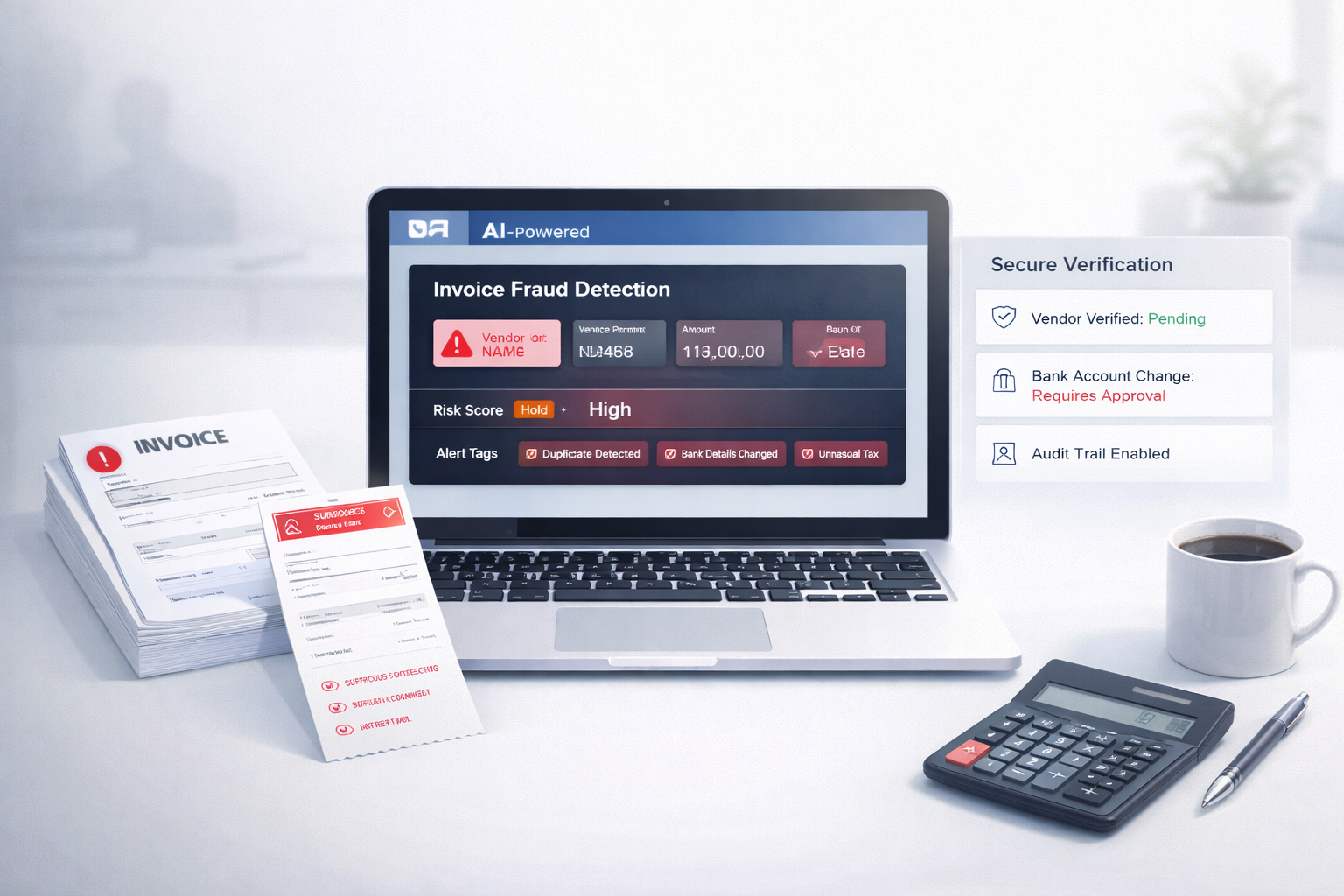
    Manual invoice checks fail not because teams are weak, but because modern invoice volume is too high, and fraud tactics are too subtle. Duplicate invoices, fake vendors, changed bank details, and inflated totals can all look normal during a rushed approval cycle.

    AI is essential because it can detect patterns at scale:

    • Spot duplicates
    • Flag unusual totals and tax
    • Catch mismatched vendor details
    • Track invoice history

    And when paired with strong AP processes, AI becomes one of the most effective ways to reduce invoice approval risk without slowing down business.

    If you’re processing invoices regularly, the real question is no longer “Do we need AI?”
    It’s: How long can we afford to operate without it?


    FAQs

    1) What is the most common type of invoice fraud?

    The most common type is duplicate invoices, where the same invoice is paid more than once. This can happen accidentally or intentionally with small invoice changes to avoid detection.

    2) How do you detect duplicate invoices?

    You detect duplicates by matching invoice details such as vendor name, invoice date, amount, PO number, and bank details. AI makes this easier by detecting duplicates even when invoice numbers or formats are slightly changed.

    3) Can AI stop invoice fraud completely?

    No. AI can’t stop fraud 100%, but it can reduce risk massively by flagging suspicious invoices early and preventing common fraud types from slipping through manual checks.

    4) What controls should AP teams use?

    AP teams should use vendor verification, consistent approval workflows, centralized invoice storage, and automated fraud alerts. Combining process controls with AI is the most effective approach.

    5) Do invoice tools store invoice data securely?

    Good invoice tools store data securely using encryption, access controls, and audit trails. Always choose tools that clearly explain how invoice data is handled, stored, and protected.

  • How to Reduce Invoice Processing Time with AI

    How to Reduce Invoice Processing Time with AI

    If you want to reduce invoice processing time, you’re not alone. For most finance teams and small business owners, invoice processing still feels slow, repetitive, and frustrating. Even with accounting software in place, invoices often get stuck in email threads, approvals, and manual data entry.

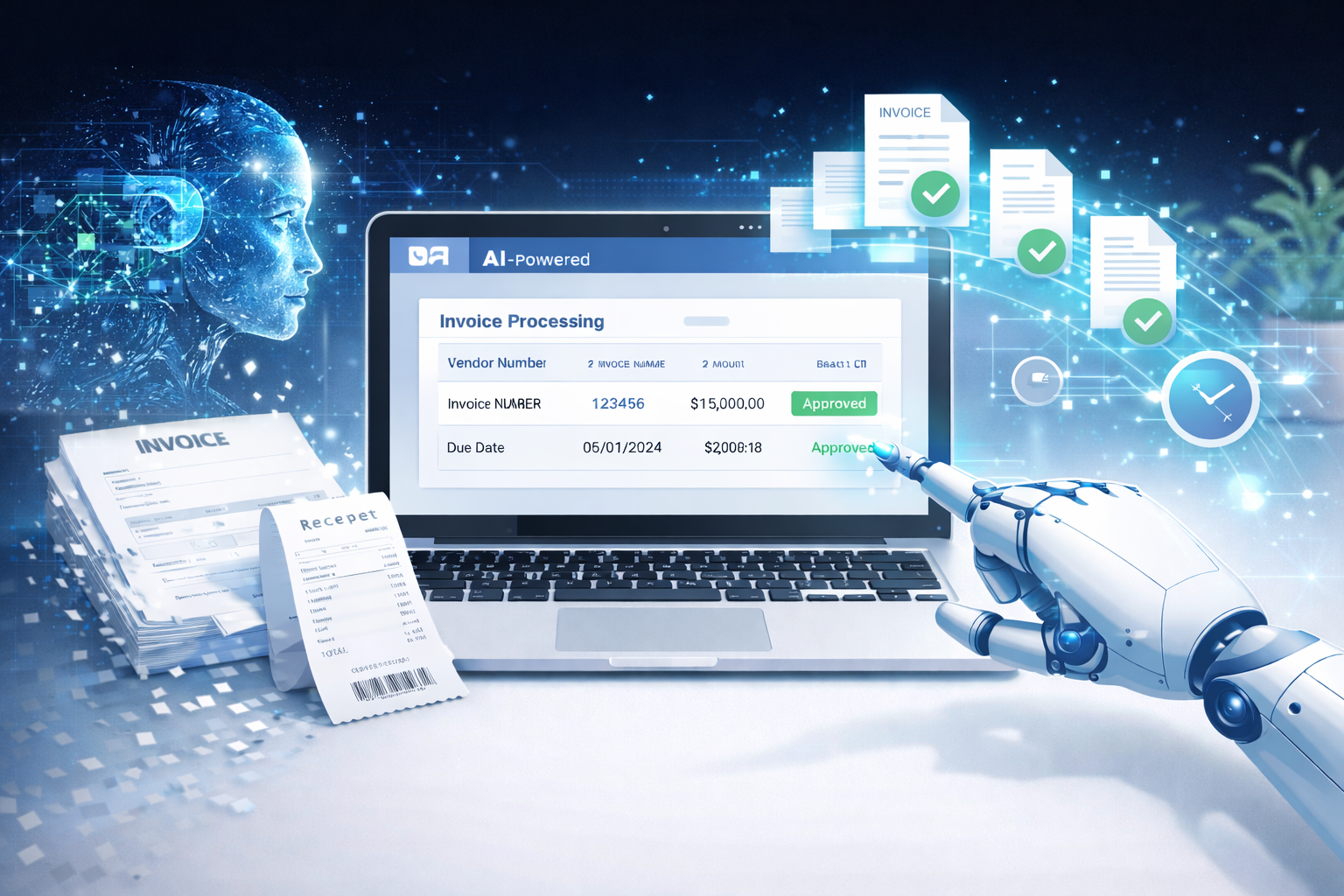
    The good news is that AI invoice processing is now practical for real businesses not just large enterprises. With the right setup, AI can help you build a faster accounts payable process, reduce errors, and keep invoices moving without constant follow-ups.


    Why invoice processing still takes too long in most finance teams

    Invoice processing is supposed to be simple: receive invoice → review → approve → pay.

    But in reality, it becomes a messy chain of manual steps.

    Someone downloads a PDF.
    Someone types the data into a system.
    Someone emails a manager for approval.
    Someone forgets.
    Someone asks for a missing PO number.
    And suddenly, a 5-minute task becomes a 5-day delay.

    That’s why more teams are moving toward invoice data capture software and automation not to replace people, but to stop wasting time.


    What slows down invoice processing the most

    Manual data entry

    This is the biggest bottleneck.

    Even if your team is fast, typing invoice details line-by-line is slow and error-prone. Vendor name, invoice number, dates, totals, tax, line items it adds up.

    One small mistake can cause payment issues, reconciliation problems, or duplicate entries.


    Missing fields and back and forth emails

    Invoices often come incomplete.

    Missing PO number.
    Wrong billing address.
    No tax breakdown.
    No payment terms.

    So your team spends time chasing vendors or internal teams instead of processing.


    Approval delays

    Approvals are where invoices go to “die.”

    A manager is busy.
    The approver is traveling.
    The invoice is buried in email.
    No one knows the status.

    This creates late payments, vendor frustration, and stress during month-end.


    Duplicate invoices

    Duplicate invoices happen more than most teams admit.

    Sometimes a vendor sends the same invoice twice.
    Sometimes two people upload it.
    Sometimes the invoice is reprocessed because the first one got lost.

    Without checks, duplicates lead to double payments and messy audits.


    How AI reduces invoice processing time

    AI doesn’t just “scan invoices.” It automates the slowest parts of accounts payable while keeping humans in control.

    Here’s what it improves.

    Reads invoices instantly

    Instead of someone opening each PDF manually, AI can read invoices as soon as they arrive via email, upload, or sync.

    Modern tools can process invoices in under 1 minute, even when formats vary between vendors.


    Extracts the right fields automatically

    This is the heart of AI invoice processing.

    AI can capture:

    • Vendor name
    • Invoice number
    • Invoice date
    • Due date
    • Total amount
    • Tax
    • Line items (in many cases)
    • Payment terms

    This is exactly what invoice data capture software is built for turning invoices into structured data without manual typing.


    Flags errors before approval

    AI can automatically detect common issues like:

    • Duplicate invoice numbers
    • Missing PO numbers
    • Totals that don’t match line items
    • Vendor mismatches
    • Unusual tax values

    This prevents bad invoices from reaching approval and reduces rework.

    Related post: Best Invoice Processing Software for Small Businesses


    Keeps invoices organized for quick review

    Instead of invoices sitting in email threads, AI tools keep them centralized.

    You can filter by:

    • Pending approval
    • Approved
    • Due soon
    • Vendor
    • Amount
    • Status

    That alone makes your faster accounts payable process feel 10x smoother.


    A practical AI workflow you can follow

    If you want a simple way to automate invoice processing without overcomplicating it, this workflow works for most small and mid-sized teams.

    It’s also great for featured snippets, because it’s clean and step-based.

    Step 1: Upload or sync invoices

    Invoices can come from:

    • Vendor emails
    • Shared inbox
    • Upload folders
    • Vendor portals
    • Drive/Dropbox

    The goal is simple: stop relying on “someone remembering” to forward invoices.

    Many tools can automatically pull invoices from your AP inbox.


    Step 2: AI extracts and categorizes

    Once the invoice is received, AI reads it and extracts key details.

    Then it categorizes it based on rules like:

    • Vendor category (software, logistics, marketing, etc.)
    • Department
    • Payment terms
    • PO matching (if applicable)

    This step removes the slowest part of invoice processing.


    Step 3: Review quickly

    Instead of typing everything, your team just reviews.

    Most invoices will be correct on the first pass modern tools can reach 99% first pass accuracy with clean vendor invoices.

    The reviewer only needs to confirm:

    • Total
    • Vendor
    • Due date
    • PO match (if required)

    This reduces invoice review time from minutes to seconds.


    Step 4: Sync to accounting

    Once approved, the invoice data syncs to your accounting tool.

    This is where the real speed comes from.

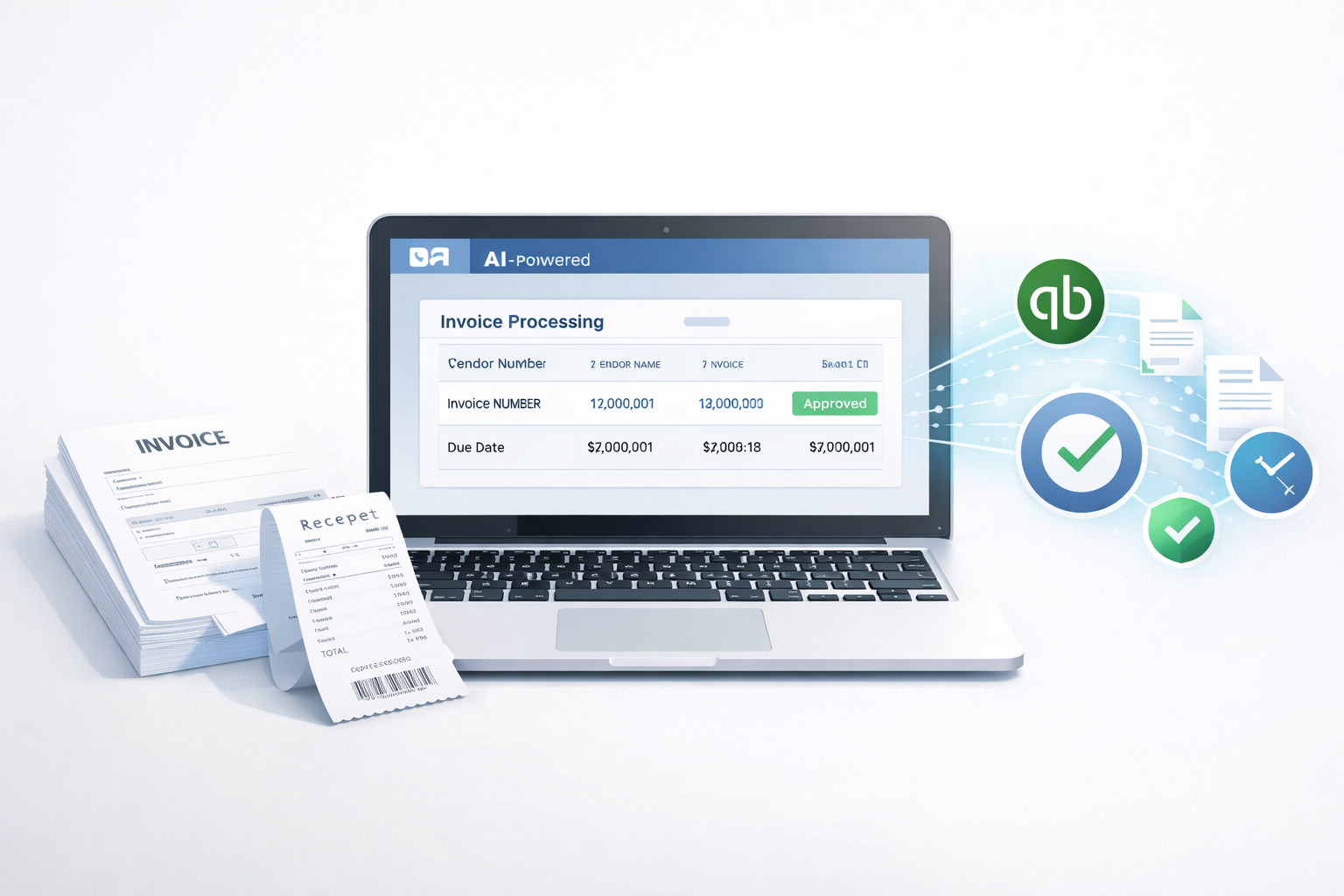
    Instead of copying data into QuickBooks, Xero, or another system, it flows automatically.

    That’s how teams truly automate invoice approvals without creating more admin work.


    Mini case example (generic but realistic)

    Let’s say a 25-person services company processes around 80 invoices per week.

    Before AI:

    • 6–8 minutes per invoice (entry + checks + approval follow-ups)
    • ~10 hours/week spent on manual processing
    • Errors and duplicates show up during month-end

    After AI automation:

    • 1 minute processing per invoice
    • Most invoices auto-extracted correctly
    • Approvals happen inside one system with reminders

    Result:

    They saved 12+ hours per week, reduced errors significantly, and shortened their month-end close because invoice data was already clean.


    Results you should expect after automation

    Time saved per invoice

    For most teams, invoice processing drops from 5–10 minutes to under 1 minute.

    That’s a huge difference when you process 50–500 invoices per month.


    Fewer errors

    Manual entry creates:

    • wrong invoice totals
    • wrong vendor records
    • missed due dates
    • incorrect tax amounts

    AI reduces these issues because it follows consistent extraction logic and validation.


    Faster month end close

    This is one of the biggest hidden wins.

    When invoices are entered correctly throughout the month, month-end becomes smoother because:

    • fewer corrections are needed
    • AP data is already organized
    • approvals are tracked

    Choosing the right tool (what matters most)

    Not all tools are equal. If you’re evaluating options, focus on these three factors.

    Accuracy

    Accuracy matters more than fancy dashboards.

    Look for tools that can handle:

    • PDFs
    • scanned invoices
    • different vendor formats

    Many modern tools advertise 99% first pass accuracy, but you should still test with your real invoices.


    Speed

    Invoice processing should feel instant.

    If a tool takes 5–10 minutes to process a document, it defeats the purpose.

    The best tools can process invoices in under 1 minute, even at scale.


    Easy integration with accounting tools

    This is where automation becomes real.

    A tool that doesn’t sync to your accounting system will still leave you doing manual entry later.

    Make sure it supports integrations with:

    • QuickBooks
    • Xero
    • Zoho Books
    • NetSuite (for larger teams)

    Even if you don’t integrate on day one, you’ll want that option later.


    Final thoughts and next step

    If your AP team is stuck doing repetitive work, AI is one of the fastest ways to fix it.

    You don’t need a complex system or a big implementation. You just need a clean workflow and a tool that can:

    • extract invoice data
    • reduce back-and-forth
    • automate invoice approvals
    • sync cleanly to accounting

    If you’re exploring solutions, platforms like Elmmetric are examples of tools built to streamline invoice processing without making it feel overly technical or enterprise-heavy.

    The next step is simple: take 10 real invoices from your business and test an AI tool with them. You’ll immediately see how much time you can save.


    FAQ 

    How long does AI invoice processing take?

    Most modern tools can process an invoice in under 1 minute, including reading and extracting key fields.

    Can AI extract invoice data accurately?

    Yes. Many tools can reach 99% first pass accuracy, especially for clear PDFs and standard vendor invoices.

    Does AI work with scanned invoices and PDFs?

    Yes. Good AI invoice processing tools can read both scanned invoices and PDFs, though very low-quality scans may reduce accuracy.

    Will AI replace accounts payable staff?

    No. AI reduces repetitive tasks like data entry and follow-ups, but AP staff still handle approvals, vendor communication, and exception cases.

    Can invoice processing tools sync with QuickBooks?

    Yes. Many invoice automation tools support QuickBooks sync so invoice data flows directly into your accounting system without manual entry.


  • Best Invoice Processing Software for Small Businesses

    Best Invoice Processing Software for Small Businesses

    Small businesses don’t need complex finance systems that take weeks to set up. They need something much simpler: speed, accuracy, and a clean way to process invoices without wasting hours every week.

    If you’re a small business owner or part of a small finance team, invoice processing can feel like an endless loop. A vendor sends a PDF. Someone downloads it. Someone types it into a spreadsheet or accounting tool. Someone checks if it’s already paid. Someone approves it. Then someone finally enters it into QuickBooks.

    That process works… until it doesn’t.

    The good news: modern invoice automation software and AI tools can now handle most of this workflow for you. Many businesses report saving 12+ hours per week, and some tools can process an invoice in under 1 minute, from capture to review.

    In this guide, we’ll break down what matters most, what features to look for, and how to evaluate the best invoice processing software for small businesses   especially if you use QuickBooks.


    What small businesses should look for

    Not every accounts payable tool is built for small teams. Some platforms are designed for enterprises with 10-step approval chains and complex compliance needs.

    For small businesses, the best invoice processing software should feel lightweight and fast.

    Easy setup

    Small teams don’t have time for long onboarding calls, complicated workflows, or weeks of configuration.

    The best tools let you:

    • connect your accounting software in minutes
    • add your team quickly
    • start processing invoices the same day

    If setup takes more than a few hours, it’s probably not the right fit.

    Works with QuickBooks

    QuickBooks is still the default accounting tool for many small businesses.

    So if you’re evaluating invoice tools, QuickBooks invoice automation should be a core requirement, not a bonus.

    A good tool should sync:

    • vendor details
    • invoice numbers
    • line items (when needed)
    • taxes and totals
    • payment status

    And it should do it without breaking your chart of accounts or creating duplicates.

    Fast invoice capture

    The whole point of automation is reducing manual work.

    A solid AI invoice processing tool should capture invoices from:

    • email inboxes
    • PDFs
    • scanned images
    • uploads

    And extract the important data correctly.

    Clear review process

    Automation should not mean “no control.”

    Small finance teams need a clean review screen that makes it easy to:

    • verify extracted details
    • catch mistakes quickly
    • approve or reject invoices in seconds

    If reviewing invoices is confusing, adoption will be low.

    Affordable pricing

    For small businesses, pricing needs to make sense.

    The best tools scale with you and don’t force you into expensive enterprise plans.

    A good benchmark: if the tool saves you 12+ hours per week, the pricing should feel like a no-brainer compared to the cost of manual work.

    Related post: Automated Invoice Processing vs Manual: What’s Better?


    Key features that matter most

    A lot of platforms claim to be “AI-powered.” But in reality, what matters is whether the tool consistently saves time and keeps your books clean.

    Here are the features that actually make a difference.

    Invoice data extraction

    This is the core of invoice automation.

    The tool should reliably pull:

    • vendor name
    • invoice number
    • invoice date
    • due date
    • subtotal, tax, and total
    • line items (optional but useful)

    A strong AI system learns over time and improves accuracy with repeated vendors.

    Duplicate detection

    Duplicate invoices are more common than most teams realize.

    Vendors resend invoices. Teams upload the same file twice. Someone forwards the email again.

    A good tool flags duplicates using:

    • invoice number
    • vendor + amount
    • matching PDFs

    This alone can prevent costly double payments.

    Simple approvals

    Small teams need approvals, but not complex ones.

    Look for:

    • one-click approvals
    • custom approval rules (like amount thresholds)
    • audit history showing who approved what

    Auto sync to accounting

    This is where invoice automation becomes real.

    Instead of copying data manually into QuickBooks, the tool should:

    • sync approved invoices automatically
    • create bills correctly
    • map vendors and categories
    • reduce rework

    This is why accounts payable software for small business is often worth it   it connects the entire workflow.

    Clean audit trail

    Even small businesses need traceability.

    A clean audit trail should show:

    • who uploaded the invoice
    • what was extracted
    • what was edited
    • who approved it
    • when it was pushed to QuickBooks

    This helps during tax season, vendor disputes, and internal reviews.


    Best invoice processing software options (how to evaluate)

    Instead of giving you a random list of tools with generic descriptions, it’s better to evaluate options based on your workflow.

    Different small businesses need different setups.

    A shortlist evaluation framework (simple and practical)

    When comparing invoice tools, score each one on these 6 factors:

    1. Setup time (Can you start today?)
    2. QuickBooks integration (Does it sync cleanly?)
    3. Invoice capture speed (Email, PDF, scans)
    4. Extraction accuracy (How often do you edit?)
    5. Review + approvals (Can your team use it easily?)
    6. Pricing vs time saved (Does it pay for itself?)

    A tool that wins on 4–5 of these is usually a strong choice.


    For QuickBooks users

    If you run your business on QuickBooks, your top priority should be smooth syncing.

    Many tools “integrate” with QuickBooks, but what you really want is:

    • bills created correctly
    • no duplicate vendors
    • correct category mapping
    • clean syncing without constant errors

    The best QuickBooks-friendly invoice automation tools are designed to fit into your workflow without forcing you to change everything.

    What to prioritize:

    • QuickBooks Online sync
    • vendor matching
    • fast approvals
    • clean bill creation

    If your team is small, you don’t need a complicated AP system   you need something that makes QuickBooks faster and cleaner.


    For teams handling many invoices

    If your business processes dozens or hundreds of invoices per month, time becomes your biggest problem.

    Manual entry becomes expensive fast.

    In this case, invoice automation software should help you:

    • process invoices in under a minute
    • handle high volume without slowing down
    • catch duplicates automatically
    • reduce approval delays

    What to prioritize:

    • bulk invoice capture
    • high extraction accuracy
    • duplicate detection
    • approval rules

    This is where AI invoice processing becomes a real advantage, because it scales without adding extra headcount.


    For accountants managing multiple clients

    If you’re an accountant or bookkeeper handling invoices for multiple businesses, your needs are slightly different.

    You need:

    • separate workspaces for each client
    • consistent invoice workflows
    • faster invoice processing across multiple accounts
    • strong audit history

    What to prioritize:

    • multi-client support
    • easy switching between accounts
    • standardized approvals
    • strong reporting

    The best tools here reduce repetitive work and help you deliver faster monthly closes.


    Why AI based tools are becoming the default

    A few years ago, invoice automation was “nice to have.”

    Now it’s quickly becoming the default, especially for small businesses trying to stay lean.

    AI tools don’t just save time   they reduce mistakes, speed up approvals, and keep accounting cleaner.

    Saves time weekly

    Manual invoice processing can take 3–10 minutes per invoice depending on complexity.

    If your team processes 50 invoices per week, that can easily become 4–8 hours of work   just on data entry and checking.

    Many AI invoice tools now claim to save 12+ hours per week, especially when you include:

    • chasing approvals
    • fixing entry errors
    • re-checking duplicates
    • syncing bills into QuickBooks

    That time can go back into running the business.

    Fewer errors

    Humans make mistakes when they’re rushing.

    Common invoice errors include:

    • wrong invoice date
    • wrong due date
    • incorrect totals
    • vendor mismatches
    • duplicate payments

    AI tools reduce these errors by extracting data consistently and flagging unusual invoices.

    The end result is simple: cleaner books and fewer surprises.

    Faster payments and cleaner books

    When invoices get stuck in email threads, payments get delayed.

    Delayed payments lead to:

    • vendor frustration
    • missed early payment discounts
    • rushed end-of-month cleanup

    With invoice automation, invoices move faster through review, approvals, and syncing   which means you can pay vendors on time and keep your accounting up to date.


    A recommended option for small teams

    If you’re a small business that wants speed, simplicity, and clean QuickBooks syncing, tools built specifically for smaller teams usually work best.

    One option worth considering is Elmmetric, especially if your workflow revolves around QuickBooks.

    Instead of focusing on complicated finance workflows, Elmmetric is built around what small teams actually want:

    • fast invoice capture
    • accurate data extraction
    • a clean review screen
    • quick approvals
    • smooth QuickBooks sync

    The biggest advantage is that it’s outcome-focused: invoices get processed quickly, errors reduce, and the team spends less time stuck in manual entry.

    If your goal is to save hours every week and process invoices in under a minute without adding complexity, Elmmetric fits naturally into that workflow.


    Conclusion

    The best invoice processing software for small businesses is not the one with the most features. It’s the one that saves time, reduces errors, and makes invoice handling feel effortless.

    When choosing the right tool, focus on what actually matters:

    • easy setup
    • QuickBooks integration
    • fast invoice capture
    • clean review and approvals
    • reliable accuracy
    • pricing that matches the value

    AI tools are quickly becoming the default because they make invoice processing faster and simpler   and for small teams, that time saved can be huge.

    If you choose the right invoice automation software, you’re not just improving your accounting workflow. You’re buying back hours every week.


    FAQ

    What is the best invoice processing software for QuickBooks?

    The best option depends on your invoice volume and workflow, but the best tools for QuickBooks are those that sync bills cleanly, avoid duplicates, and keep vendor data consistent. Look for tools built specifically with QuickBooks invoice automation in mind.

    How much does invoice automation cost?

    Invoice automation pricing varies based on invoice volume, features, and number of users. Some tools charge monthly, while others price based on invoices processed. For many small businesses, the time saved often covers the cost quickly.

    Can small businesses use AI invoice processing?

    Yes. AI invoice processing is now designed for small teams, not just enterprises. Many AI tools are simple to set up and can save 12+ hours per week by reducing manual entry and speeding up approvals.

    Do invoice tools work with PDFs and scans?

    Most modern invoice automation tools support PDFs and scanned invoices. The best tools can extract data from email attachments, uploaded files, and even images, while still keeping accuracy high.

    How do I choose the right invoice software?

    Use a simple shortlist framework: compare setup time, QuickBooks integration, invoice capture speed, extraction accuracy, review workflow, and pricing. Choose the tool that saves time without adding complexity.

  • Automated Invoice Processing vs Manual: What’s Better?

    Automated Invoice Processing vs Manual: What’s Better?

    Manual invoice processing still works. In fact, many small teams run accounts payable using email, spreadsheets, and a simple approval chain.

    But “it works” doesn’t mean it’s efficient.

    Manual processing is slow, expensive, and error-prone especially once invoice volume grows. And during month-end close, it becomes a serious bottleneck that drains time from finance teams.

    Automated invoice processing solves most of these problems by using AI to extract invoice details, route approvals, and sync data to accounting tools. Many modern systems can process invoices in under 1 minute, save 12+ hours per week, and reduce errors using high first pass accuracy.

    This guide breaks down both approaches in a practical way, with a clear side-by-side comparison so you can decide what’s better for your business.


    What manual invoice processing involves

    Manual invoice processing is a step-by-step workflow where humans handle most tasks. Even if you use accounting software, the invoice still has to be read, entered, approved, and stored.

    Data entry

    This is where most time gets wasted.

    A team member typically:

    • Opens an invoice (PDF, scan, or email attachment)
    • Reads key details (vendor name, invoice number, date, line items, tax, total)
    • Enters everything into Excel or accounting software

    This is repetitive work, and repetition increases mistakes especially when invoices come in different formats.

    Approvals

    Manual approvals often look like:

    • Emailing the invoice to a manager
    • Waiting for a reply
    • Following up
    • Re-forwarding the invoice because it got buried

    Even if the approval itself takes 10 seconds, the waiting time can take days.

    Filing and tracking

    This is the hidden problem.

    Manual teams usually store invoices in:

    • Email threads
    • Google Drive folders
    • Shared desktops
    • Printed files

    Later, when someone asks “Where is that invoice from last month?”, it turns into a mini search mission.

    Related post: How AI Bookkeeping Saves Time for Accountants


    What automated invoice processing looks like

    Automated invoice processing uses invoice automation software to handle the repetitive parts. Instead of humans reading every invoice and typing details, AI does the extraction and workflow routing.

    Upload or sync invoices

    Invoices can come from:

    • Uploading PDFs
    • Email forwarding
    • Vendor portals
    • Cloud storage
    • Direct sync

    A good system doesn’t force you to change your vendor process it adapts to how invoices already arrive.

    AI extracts key fields

    AI invoice processing software reads invoices and pulls key data like:

    • Vendor name
    • Invoice number
    • Invoice date
    • Due date
    • Subtotal, tax, total
    • Line items (in many cases)

    Instead of typing everything, the user just checks the extracted fields.

    Quick review

    This is one of the biggest benefits.

    Instead of manually entering invoices, finance teams can do a “review in about a minute” workflow:

    • Look at the invoice preview
    • Confirm extracted fields
    • Fix anything small
    • Approve and move on

    That’s how modern AP teams process invoices fast without sacrificing control.

    Sync to accounting

    After review and approval, the invoice data syncs into accounting tools like:

    • QuickBooks
    • Xero
    • Other AP or ERP systems

    This eliminates duplicate work and reduces posting errors.

    For example, Elmmetric is one solution designed around this workflow: invoices can be uploaded or synced, reviewed quickly, and then synced to QuickBooks.


    Manual vs automated: side by side comparison

    Here’s the real difference: manual invoice processing depends on human time, while automation depends on systems.

    Text-based comparison table

    FeatureManual Invoice ProcessingAutomated Invoice Processing
    SpeedSlow (minutes per invoice + waiting)Fast (often under 1 minute per invoice)
    AccuracyHuman errors commonHigh first pass accuracy + quick review
    CostHigher labor costLower cost per invoice over time
    ScalabilityBreaks as volume growsHandles growth easily
    Fraud riskHigher (weak tracking + approvals)Lower (audit trails + structured workflows)
    Month-end workloadHeavy and stressfulFaster close with fewer backlogs

    Now let’s break down each area properly.


    Speed

    Manual processing speed is limited by:

    • How fast someone can type
    • How quickly managers approve
    • How long it takes to find missing invoices

    Even if invoice entry takes only 5 minutes, approvals can add days.

    Automated invoice processing improves speed because:

    • Extraction happens instantly
    • Review is quick
    • Approvals can be routed automatically
    • Invoices don’t get “lost”

    Most AI tools can process an invoice in under 1 minute, especially when the fields are captured correctly on the first pass.


    Accuracy

    Manual invoice entry is vulnerable to:

    • Typos
    • Wrong invoice numbers
    • Duplicate entries
    • Incorrect totals
    • Missing taxes
    • Wrong vendor mapping

    These mistakes lead to payment errors, reconciliation issues, and vendor disputes.

    Automation improves accuracy because:

    • AI extracts consistently
    • The system validates totals
    • Duplicate detection is easier
    • Review happens before syncing

    With high first pass accuracy, teams spend less time correcting mistakes and more time approving and paying correctly.


    Cost

    Manual processing cost is usually underestimated.

    People think manual AP is “free” because they already have staff. But every invoice takes time, and time is money.

    Manual costs include:

    • Data entry hours
    • Approval follow-ups
    • Error correction
    • Time spent searching invoices
    • Month-end overtime

    Automation reduces cost because:

    • You process invoices faster
    • You reduce errors
    • You reduce back-and-forth
    • You save staff hours every week

    It’s common for teams to save 12+ hours per week once invoice workflows are automated.


    Scalability

    Manual invoice processing works only when:

    • Invoice volume is low
    • Vendors are consistent
    • Approvals are simple

    As the business grows, manual AP becomes a bottleneck.

    The breaking point usually happens when:

    • You add more vendors
    • You handle multiple clients
    • Your team grows
    • You expand to new locations

    Automation scales because invoice volume doesn’t increase workload in a linear way. You can process 50 invoices with nearly the same effort as 10 because the heavy lifting is done by AI.


    Fraud risk

    Fraud risk is not just about hackers.

    In accounts payable, fraud often happens due to:

    • Weak approval processes
    • No audit trail
    • Invoices being edited manually
    • Duplicate payments
    • Payments to the wrong vendor
    • Invoices slipping through without review

    Manual workflows make this easier because everything happens across email, spreadsheets, and disconnected folders.

    Automated invoice processing reduces fraud risk because:

    • Approvals are structured
    • Activity logs are recorded
    • Audit trails are available
    • Duplicate detection is easier
    • Vendor matching is consistent

    Even for small businesses, this is a big deal.


    Month end workload

    Month-end close is where manual AP hurts the most.

    The common issues:

    • Invoices not entered yet
    • Missing approvals
    • Duplicate invoices
    • Payment status confusion
    • No clear record of what’s pending

    Automation helps month-end close by:

    • Keeping invoices tracked in one place
    • Showing approval status instantly
    • Reducing backlog
    • Making reconciliation faster

    This alone is a major reason finance teams switch.


    When manual is still okay

    Automation is not always necessary. In some cases, manual processing is fine.

    Very low invoice volume

    If you handle:

    • 5–10 invoices per month
    • A small number of vendors
    • Simple approvals

    Manual processing can be manageable.

    At that scale, the cost of adopting software might not feel worth it yet.

    No growth plans

    If your business is stable and you don’t plan to scale, manual workflows may continue to work.

    But keep in mind: growth sometimes happens unexpectedly. A new client, a new location, or a new product line can increase invoice volume quickly.


    When automation is a clear win

    This is where invoice automation benefits become obvious.

    Growing teams

    As soon as you have:

    • Multiple departments
    • Multiple approvers
    • More invoices than one person can handle

    Manual AP turns into chaos.

    Automation keeps things structured even as the team grows.

    Multiple clients or vendors

    If you manage:

    • Many vendors
    • Client billing
    • Multiple entities

    Manual processing becomes a tracking nightmare.

    Automation makes it easier to:

    • Assign invoices
    • Track vendor history
    • Maintain consistent records

    Recurring invoices

    Recurring invoices are perfect for automation because:

    • Vendors repeat
    • Formats are similar
    • Categories and GL codes are consistent

    AI becomes more accurate over time, and the review becomes even faster.


    What to check before switching

    Before you adopt accounts payable automation, check these points. This is where many teams make the wrong choice.

    Integration with accounting software

    If your accounting tool is QuickBooks, Xero, or similar, your invoice system should sync smoothly.

    The goal is:

    • No duplicate data entry
    • Clean vendor mapping
    • Easy reconciliation

    If the integration is weak, automation becomes another tool you have to “manage.”

    Ease of setup

    Invoice automation should not require months of onboarding.

    Look for:

    • Simple upload or sync options
    • Clear invoice review screens
    • Easy approval routing
    • Minimal technical setup

    If it feels complicated from day one, it usually stays complicated.

    Support and onboarding

    Finance teams don’t want to “figure it out.”

    Choose a system that offers:

    • Clear onboarding
    • Responsive support
    • Help with integration
    • Training for your workflow

    This is one reason teams consider solutions like Elmmetric, since it’s built around a simple flow: upload or sync invoices, do a quick review, and sync into QuickBooks.


    Conclusion

    Manual invoice processing can work, but it comes with real costs: slow speed, frequent errors, heavy month-end workload, and limited scalability.

    Automated invoice processing is better for most growing teams because it:

    • Processes invoices in under 1 minute
    • Saves 12+ hours per week
    • Reduces errors using high first pass accuracy
    • Improves tracking, approvals, and audit trails
    • Makes month-end close smoother

    If your invoice volume is increasing or your team is already feeling the pressure automation isn’t just a “nice-to-have.” It’s a practical upgrade.


    FAQs

    Is automated invoice processing worth it?

    Yes, for most businesses handling recurring invoices or growing vendor volume. The biggest return comes from time saved (often 12+ hours per week) and fewer costly mistakes.

    How accurate is AI invoice extraction?

    Modern AI tools offer high first pass accuracy, especially on standard vendor invoices. Most teams still do a quick review, but the review is usually fast often about a minute per invoice.

    Does automation work for different invoice formats?

    Yes. AI invoice processing software is designed to handle multiple invoice formats, including PDFs, scanned invoices, and vendor-specific layouts.

    Can automation help during month end close?

    Absolutely. Automation helps by keeping invoices tracked, reducing backlog, and making reconciliation easier. It also reduces last-minute chasing for approvals.

    What is the best invoice workflow for small teams?

    For small teams, the best workflow is:

    1. Upload or sync invoices
    2. AI extracts key fields
    3. Quick review (about a minute)
    4. Approval routing
    5. Sync to accounting (like QuickBooks)

    This gives you speed without losing control.

  • What Is AI Bookkeeping and Why It Matters

    What Is AI Bookkeeping and Why It Matters

    What Is Bookkeeping? (From First Principles)

    Before understanding AI bookkeeping, it helps to know what bookkeeping itself means.

    At its core, bookkeeping is the process of recording every financial transaction in your business, such as:

    • Sales and income
    • Expenses and bills
    • Bank transactions
    • Payroll entries
    • Taxes owed or paid

    Traditionally, this meant:

    • Manually entering data into spreadsheets or accounting software
    • Categorizing transactions one by one
    • Reconciling bank statements at month-end
    • Sending data to an accountant after everything happened

    Bookkeeping isn’t about strategy it’s about accuracy and consistency. And that’s exactly why automation fits so well here.


    What Is AI Bookkeeping?

    AI bookkeeping uses machine learning, rules engines, and automation to handle bookkeeping tasks automatically, with minimal human input.

    Instead of manually logging every transaction, AI-powered systems can:

    • Pull transactions directly from bank feeds
    • Automatically categorize income and expenses
    • Detect duplicates, anomalies, or missing entries
    • Reconcile accounts in near real time
    • Continuously learn from past behavior to improve accuracy

    In short, AI bookkeeping replaces repetitive human data entry with intelligent automation.

    Many modern platforms such as Elmmetric focus on this approach by combining automation with accounting logic, giving businesses clean books without making the process feel complex or “finance-heavy.”


    Traditional Bookkeeping vs AI-Powered Bookkeeping

    Here’s a practical comparison to make the difference clear:

    Traditional Bookkeeping

    • Manual data entry or semi-manual uploads
    • Monthly or quarterly updates
    • Higher risk of human error
    • Delayed visibility into cash flow
    • Heavy dependence on accountants or bookkeepers
    • Stressful tax-season catch-up

    AI-Powered Bookkeeping

    • Automatic transaction syncing
    • Real-time or near real-time updates
    • Consistent categorization using AI models
    • Always-on financial visibility
    • Lower operational cost over time
    • Fewer surprises during audits or tax filing

    The shift isn’t just about speed it’s about confidence and control.


    How Does AI Bookkeeping Actually Work?

    AI bookkeeping systems typically follow this flow:

    1. Automated Data Collection

    The software connects securely to your:

    • Bank accounts
    • Credit cards
    • Payment gateways
    • Invoicing tools

    Transactions flow in automatically, without uploads or spreadsheets.

    2. Smart Categorization

    AI models analyze:

    • Transaction descriptions
    • Vendor history
    • Past categorization patterns

    Based on this, expenses are categorized (e.g., marketing, software, travel) with increasing accuracy over time.

    3. Continuous Reconciliation

    Instead of reconciling once a month, AI systems:

    • Match transactions continuously
    • Flag mismatches or missing entries
    • Reduce end-of-month workload

    4. Exception Handling

    Rather than reviewing everything, humans only step in when:

    • Transactions look unusual
    • Amounts fall outside normal ranges
    • Compliance rules require validation

    This “exception-first” approach is what makes bookkeeping automation scalable.


    Why AI Bookkeeping Matters Today (2024–2025)

    AI bookkeeping isn’t just a nice-to-have anymore. It solves real problems businesses face right now.

    1. Manual Data Entry Errors Are Costly

    Human entry errors can lead to:

    • Incorrect tax filings
    • Missed deductions
    • Compliance penalties

    According to industry studies cited by accounting bodies like the AICPA, manual processes remain one of the biggest sources of financial inaccuracies. AI dramatically reduces this risk through consistency and pattern recognition.

    2. Businesses Need Real-Time Financial Visibility

    Waiting 30–60 days to know your cash position is no longer viable.

    AI bookkeeping gives:

    • Up-to-date cash flow insights
    • Clear expense trends
    • Early warning signs for overspending

    This is especially critical for startups and SMBs operating on tight margins.

    3. Accounting Costs Are Rising

    Hiring full-time bookkeepers or relying heavily on monthly accounting services is expensive.

    Bookkeeping automation for small businesses:

    • Reduces manual hours
    • Lowers recurring accounting costs
    • Allows accountants to focus on advisory, not data entry

    4. Tax-Season Panic Is Still Very Real

    Many businesses scramble at year-end because:

    • Books aren’t updated
    • Documents are scattered
    • Numbers don’t reconcile

    With AI bookkeeping, records stay continuously updated making tax filing more predictable and far less stressful.

    5. Compliance Requirements Are Increasing

    Governments worldwide are tightening reporting and audit standards. Official tax authority guidelines consistently emphasize accurate, timely record-keeping as a compliance requirement.

    AI bookkeeping helps maintain audit-ready books year-round, not just once a year.


    A Short Real-World Scenario

    Scenario:
    A 10-person SaaS startup processes hundreds of monthly transactions across subscriptions, cloud services, ads, and tools.

    Before AI bookkeeping:

    • Founder updates books once every 2 months
    • Accountant spends hours cleaning data
    • Cash flow surprises happen regularly

    After switching to AI bookkeeping:

    • Transactions are categorized automatically
    • Founder checks a live dashboard weekly
    • Accountant focuses on forecasting and tax planning

    The result? Better decisions, fewer surprises, and lower finance overhead.


    FAQs About AI Bookkeeping

    1. Is AI bookkeeping safe and secure?

    Yes. Reputable AI accounting software uses bank-grade encryption and follows data protection standards commonly referenced by financial regulators and industry bodies.

    2. Does AI bookkeeping replace accountants?

    No. It replaces manual bookkeeping tasks, not professional judgment. Accountants become advisors rather than data processors.

    3. Is AI bookkeeping suitable for very small businesses?

    Absolutely. In fact, small businesses benefit the most due to limited time and resources.

    4. How accurate is AI bookkeeping?

    Accuracy improves over time as the system learns from corrections and historical patterns. Many platforms reach higher consistency than manual entry.

    5. Can AI bookkeeping handle taxes?

    AI bookkeeping supports tax preparation by keeping clean records, but tax filing and strategy usually still involve a qualified professional.

    6. How long does it take to set up?

    Most AI bookkeeping tools can be set up in days, not weeks especially compared to traditional systems.


    Who Should Consider AI Bookkeeping?

    AI bookkeeping is ideal for:

    • Small business owners without finance teams
    • Startups scaling transaction volume quickly
    • Freelancers and consultants managing multiple income streams
    • Businesses tired of last-minute tax chaos
    • Founders who want real-time financial clarity

    If your business values accuracy, speed, and peace of mind, AI bookkeeping is no longer optional it’s becoming the standard way modern businesses manage their finances.