Category: AI Bookkeeping

  • Multi-Currency Reconciliation for Global Businesses

    Multi-Currency Reconciliation for Global Businesses

    Introduction

    As companies expand internationally, dealing with multiple currencies becomes a normal part of daily operations. SaaS platforms may bill customers in USD and EUR, e-commerce sellers may accept payments in GBP and AUD, while expenses and salaries are paid in another currency entirely.

    Managing these financial movements accurately requires multi-currency reconciliation a structured process that ensures every international transaction is recorded correctly in accounting systems.

    Without proper reconciliation, businesses often face discrepancies caused by exchange rate differences, payment gateway fees, and timing gaps in currency conversion. These small differences can gradually distort financial reporting, making revenue appear higher or lower than it actually is.

    For SaaS companies, global agencies, exporters, and international e-commerce brands, maintaining accurate foreign exchange accounting is essential for reliable financial reporting, cash flow forecasting, and tax compliance.

    In this guide, we explain how multi-currency reconciliation works, why it becomes complex at scale, and how businesses can manage it effectively using the right accounting processes and tools.


    What Is Multi-Currency Reconciliation?

    Multi-currency reconciliation is the process of matching international transactions across payment systems, accounting platforms, and bank statements while accounting for foreign exchange differences.

    It ensures that the following elements are accurately recorded:

    • Transaction currency – The currency in which the payment occurred
    • Functional currency – The reporting currency used by the company
    • Exchange rate applied – The FX rate used during conversion
    • Currency gains or losses – Changes in value due to exchange rate movements

    This process is a key part of multi-currency bookkeeping and helps businesses maintain accurate financial statements when operating across multiple markets.

    Example: SaaS Subscription Payment

    Imagine a SaaS company based in the US selling software subscriptions globally.

    1. A customer in Germany pays €1,000.
    2. At the time of purchase, the exchange rate converts it to $1,080.
    3. The payment processor converts the funds and deposits $1,065 after fees and FX spreads.
    4. The bank records a slightly different amount due to settlement timing.

    Without proper FX reconciliation services, the accounting system may incorrectly record the transaction amount, creating revenue discrepancies.


    What Makes Multi-Currency Reconciliation Difficult?

    Managing multiple currencies introduces several layers of complexity in financial operations.

    Even small differences in exchange rates or processing fees can cause accounting mismatches.

    Common Challenges in Multi-Currency Accounting

    1. Payment Gateway FX Markups

    Payment processors such as Stripe or PayPal often apply their own exchange rates when converting currencies.

    This creates a gap between:

    • The rate used during the transaction
    • The rate used when funds are deposited

    This difference must be accounted for during foreign exchange accounting.


    2. Bank Conversion Differences

    Banks may apply separate FX rates during settlement.

    Even a small difference of 0.5%–1% in exchange rates can create noticeable discrepancies in high-volume businesses.

    For companies processing thousands of global transactions, these differences accumulate quickly.


    3. Timing Gaps in Rate Application

    Exchange rates fluctuate constantly.

    For example:

    • A sale occurs on Monday
    • Payment settles on Wednesday
    • The accounting system records the conversion on Friday

    Each date may involve a different FX rate.

    These timing gaps are a major reason why businesses struggle with accounting for currency conversion differences.


    4. Refunds at Different Exchange Rates

    Refunds create another layer of complexity.

    A customer may:

    • Purchase in EUR when the rate is 1.08 USD
    • Receive a refund when the rate is 1.05 USD

    This results in a currency loss or gain that must be recorded correctly in the general ledger.

    Without proper multi-currency reconciliation, these differences can distort revenue and profit calculations.

    Related post: Top Ways to Lower Accounts Payable Costs


    Realized vs Unrealized Currency Gains and Losses

    Understanding currency gains and losses is a critical part of currency gain and loss accounting.

    These gains occur because exchange rates change constantly.

    Realized Currency Gains or Losses

    A realized gain or loss happens when a currency conversion actually occurs.

    Example:

    • A SaaS company invoices €10,000
    • The exchange rate changes before payment is received
    • The final USD amount differs from the original recorded value

    Once the payment is converted and settled, the difference becomes a realized FX gain or loss.


    Unrealized Currency Gains or Losses

    An unrealized gain or loss occurs when exchange rates change while the funds are still held in foreign currency.

    Example:

    • A company holds €50,000 in a foreign bank account
    • Exchange rates fluctuate before the funds are converted

    The accounting system adjusts the balance value at the end of the reporting period, creating an unrealized gain or loss.

    Tracking these changes accurately is essential for:

    • SaaS companies with international subscriptions
    • Global e-commerce sellers
    • Export businesses
    • International service agencies

    Accurate FX reconciliation services ensure these gains and losses are correctly recorded.


    Why Accurate FX Reconciliation Matters for Global Businesses

    Businesses operating internationally must maintain precise financial records across currencies.

    Poor reconciliation can lead to misleading financial reports and operational risks.

    Key Benefits of Multi-Currency Reconciliation

    Accurate Revenue Reporting

    Exchange rate differences can significantly affect revenue numbers.

    Proper multi-currency bookkeeping ensures revenue is recorded correctly in the company’s reporting currency.


    Improved Profit Margin Visibility

    Currency fluctuations can impact profit margins.

    For example:

    • A subscription sale may appear profitable initially
    • Currency changes may reduce the final margin

    Accurate reconciliation prevents margin distortion.


    Reliable Financial Forecasting

    Companies planning international expansion rely on precise financial forecasts.

    Tracking FX gains and losses helps finance teams understand real currency exposure.


    Better Tax and Compliance Reporting

    Many countries require accurate reporting of foreign exchange accounting adjustments.

    Proper reconciliation helps businesses stay compliant with global tax regulations.


    Clear Financial Visibility for Investors

    For venture-backed startups and SaaS companies, clean financial records build trust with investors and stakeholders.

    Accurate FX accounting improves transparency in financial reporting.


    Best Practices for Multi-Currency Accounting

    Managing international financial operations becomes easier when companies adopt structured reconciliation processes.

    Below are proven best practices used by finance teams managing global transactions.

    1. Record Transactions in Source Currency

    Always record transactions in the original currency of the payment.

    This ensures that exchange rate conversions remain traceable and accurate.


    2. Lock Monthly FX Rates for Reporting

    Many finance teams use a fixed exchange rate for monthly reporting.

    This helps:

    • Standardize financial reporting
    • Reduce accounting complexity
    • Maintain consistency across financial statements

    3. Reconcile Payment Gateway Settlements Weekly

    Gateways such as Stripe and PayPal process thousands of transactions.

    Weekly reconciliation helps identify:

    • Fee discrepancies
    • FX spreads
    • Settlement differences

    This is particularly important in the Stripe FX reconciliation process for SaaS and subscription businesses.


    4. Use Dedicated GL Accounts for FX Gains and Losses

    Finance teams should create separate general ledger accounts for:

    • Realized FX gains
    • Realized FX losses
    • Unrealized FX adjustments

    This improves clarity in financial reporting.


    5. Review Currency Exposure Monthly

    Businesses operating globally should regularly analyze:

    • Revenue by currency
    • Foreign cash balances
    • FX risk exposure

    This allows companies to plan for currency fluctuations.


    Tools That Simplify Multi-Currency Reconciliation

    Manual reconciliation becomes difficult as transaction volume increases.

    Fortunately, modern accounting tools help automate many parts of the process.

    Multi-Currency Accounting Software

    Platforms such as modern cloud accounting systems support:

    • Automatic currency conversions
    • Real-time FX rates
    • Multi-currency financial reporting

    These systems simplify multi-currency SaaS bookkeeping.


    Automated Bank Feeds

    Bank integrations automatically import transactions into accounting software.

    This eliminates manual data entry and improves reconciliation accuracy.


    FX Rate Integrations

    Accounting systems can pull live foreign exchange rates to ensure conversions reflect current market values.

    This improves foreign exchange accounting accuracy.


    Gateway Reconciliation Tools

    Specialized reconciliation tools help finance teams match:

    • Payment gateway reports
    • Bank deposits
    • Accounting entries

    This simplifies the process of reconciling multi-currency transactions, especially for high-volume e-commerce businesses.


    Conclusion

    For companies operating across borders, investing in proper reconciliation processes is not just an accounting task it is a strategic step toward building scalable and transparent global operations.

    Partnering with experienced providers such as Elmmetric can help businesses implement structured multi-currency bookkeeping and reconciliation systems, ensuring accurate financial reporting as international operations continue to grow.


  • Cross-Border E-Commerce Bookkeeping for Global Online Sellers

    Cross-Border E-Commerce Bookkeeping for Global Online Sellers

    Introduction

    Global e-commerce has made it easier than ever for businesses to sell internationally. Platforms like Shopify, Amazon, and WooCommerce allow brands to reach customers across Europe, North America, Australia, and Asia without setting up physical stores in each country. While this opens massive growth opportunities, it also introduces significant accounting complexity.

    Cross-border e-commerce bookkeeping requires businesses to manage international taxes, multiple currencies, marketplace deductions, and global payment processors while maintaining accurate financial records. A single transaction may involve VAT collection, currency conversion, marketplace commissions, and payment gateway fees before the final revenue reaches your bank account.

    For global sellers, maintaining accurate books is essential not only for compliance but also for understanding real profit margins. Without proper financial tracking, business owners may struggle to determine which markets are profitable and which ones are draining resources.

    This article explains how cross-border e-commerce bookkeeping works, why it becomes complex for international sellers, and the best practices businesses can follow to maintain accurate and scalable financial systems.


    Why Cross-Border Accounting Is Complex

    Selling domestically already involves tracking revenue, expenses, and taxes. When businesses expand globally, accounting becomes significantly more complicated due to multiple financial layers.

    International e-commerce accounting involves handling several variables simultaneously.

    Multiple Currencies

    Global sellers receive payments in different currencies such as:

    • USD
    • EUR
    • GBP
    • CAD
    • AUD

    Each transaction must be recorded in the original currency and later converted into the company’s base reporting currency.

    Currency exchange fluctuations can also create:

    • Realized currency gains or losses
    • Unrealized currency adjustments
    • Differences between marketplace settlement reports and bank deposits

    Without proper tracking, profit margins can appear distorted.

    Also read: AI Bookkeeping for Freelancers: A Complete Guide

    Multiple Payment Channels

    E-commerce businesses often use several payment platforms, including:

    • Amazon marketplace payments
    • Shopify Payments
    • Stripe
    • PayPal
    • International bank transfers

    Each payment provider deducts its own fees and settlement adjustments, making global online business bookkeeping much more complex than traditional accounting.

    Complex Transaction Structures

    A single international order may include multiple financial components such as:

    • Product revenue
    • Shipping revenue
    • VAT or sales tax
    • Marketplace commission
    • Fulfillment fees
    • Payment processing fees
    • Currency conversion adjustments

    Without structured accounting systems, it becomes extremely difficult to track true profitability per order or per country.


    VAT, GST & Sales Tax Compliance

    One of the biggest challenges in cross-border e-commerce bookkeeping is managing international tax compliance.

    Different countries require businesses to register for local tax systems once certain revenue thresholds are reached.

    European Union VAT

    For sellers shipping goods into the EU, VAT obligations may arise under programs such as:

    • OSS (One Stop Shop) for EU-wide reporting
    • IOSS (Import One Stop Shop) for low-value imports

    Businesses must properly record:

    • VAT collected from customers
    • VAT owed to tax authorities
    • Marketplace-collected taxes (when applicable)

    Accurate VAT accounting for e-commerce ensures that businesses report correct tax liabilities for each EU jurisdiction.

    GST and Sales Tax in Other Countries

    Other countries have their own digital tax requirements.

    Examples include:

    • Australia GST for international sellers exceeding thresholds
    • Canada GST/HST obligations
    • UK VAT registration
    • US state-level sales tax compliance

    Without proper bookkeeping, businesses may accidentally:

    • Overpay taxes
    • Underreport liabilities
    • Face compliance penalties

    Separating Collected vs Payable Taxes

    One critical bookkeeping practice is separating:

    • Revenue
    • Taxes collected
    • Taxes payable

    This ensures accurate reporting and simplifies filing tax returns in each jurisdiction.


    Marketplace Reconciliation

    Marketplaces such as Amazon or Etsy do not deposit the full order value into your bank account. Instead, they deduct various charges before transferring settlement payouts.

    This makes marketplace reconciliation services an essential part of cross-border bookkeeping.

    Common Marketplace Deductions

    Marketplaces typically deduct:

    • Referral commissions
    • Fulfillment fees (FBA or logistics services)
    • Refund adjustments
    • Advertising costs
    • Storage fees
    • Currency conversion fees

    Because of these deductions, bank deposits rarely match the gross sales numbers shown on the marketplace dashboard.

    Reconciling Marketplace Settlements

    Accurate bookkeeping requires reconciling several reports together:

    • Marketplace settlement reports
    • Payment processor statements
    • Bank deposits
    • Advertising reports
    • Refund and chargeback records

    For example, an Amazon seller might see:

    • $10,000 in total product sales
    • $1,500 in Amazon referral fees
    • $800 in FBA fulfillment costs
    • $300 in advertising spend
    • $200 in refunds

    The final deposit may only be around $7,200, which must be properly categorized within accounting records.

    Professional Amazon international accounting services often rely on automated integrations to process these reports accurately.


    Multi-Currency Financial Reporting

    One of the most overlooked aspects of international e-commerce accounting is managing financial reports across multiple currencies.

    Without proper systems, business owners may struggle to understand their real financial performance.

    Recording Transactions in Original Currency

    Every transaction should first be recorded in the currency in which it occurred.

    For example:

    • EU sales recorded in EUR
    • UK sales recorded in GBP
    • US sales recorded in USD

    This ensures accuracy when reconciling marketplace reports and payment processor data.

    Applying Consistent FX Conversion Methods

    Businesses must adopt a consistent foreign exchange methodology.

    Common approaches include:

    • Daily spot rate conversion
    • Monthly average rates
    • Platform-provided FX rates

    Consistency ensures that financial statements remain reliable and audit-ready.

    Tracking Currency Gains and Losses

    Currency fluctuations can create additional accounting entries.

    Businesses must track:

    • Realized FX gains/losses when funds are converted
    • Unrealized FX adjustments on foreign balances

    These adjustments are important for accurate profit reporting.

    Consolidating Global Financial Reports

    Once transactions are recorded, businesses consolidate financial data into a base reporting currency (such as USD).

    This allows owners to analyze:

    • Country-wise profitability
    • Product margins by region
    • Global financial performance

    Proper global online business bookkeeping ensures that international growth remains financially transparent.


    Best Practices for Cross-Border E-Commerce Bookkeeping

    Managing international accounting becomes far easier when businesses adopt structured bookkeeping processes early.

    Below are some best practices that help global sellers maintain accurate financial records.

    Use Multi-Currency Accounting Software

    Cloud accounting tools with multi-currency support are essential for international sellers.

    These systems help businesses:

    • Record foreign currency transactions
    • Track FX differences
    • Consolidate global reports automatically

    Automate Marketplace Data Imports

    Manual bookkeeping can quickly become overwhelming for growing e-commerce brands.

    Automated integrations allow businesses to import:

    • Amazon settlement reports
    • Shopify sales data
    • Payment processor transactions

    Automation significantly reduces reconciliation errors.

    Separate Taxes by Country

    Each country should have its own tax liability account.

    This allows businesses to track:

    • VAT collected
    • GST obligations
    • Sales tax payable

    Proper tax separation simplifies filing returns and preparing compliance reports.

    Perform Monthly Reconciliation

    Consistent reconciliation ensures accurate financial data.

    Businesses should reconcile:

    • Bank accounts
    • Payment processors
    • Marketplace settlements
    • FX differences

    Monthly reviews help detect errors early and maintain clean books.

    Maintain Country-Level Profit Reports

    Global businesses benefit from analyzing financial performance by region.

    Country-wise reporting helps answer critical questions like:

    • Which markets generate the highest margins?
    • Where are tax costs highest?
    • Which regions require pricing adjustments?

    These insights allow sellers to make smarter expansion decisions.


    Conclusion

    Expanding into global markets presents enormous opportunities for e-commerce brands. Platforms like Shopify, Amazon, and WooCommerce allow businesses to sell internationally without establishing a physical presence in every country.

    However, cross-border e-commerce bookkeeping introduces significant challenges, including managing multiple currencies, marketplace deductions, international tax compliance, and complex settlement reports.

    Without structured financial processes, businesses can quickly lose visibility into their real margins and tax obligations.

    By implementing proper accounting systems, reconciling marketplace transactions, and maintaining accurate multi-currency reporting, global sellers can build a scalable and financially stable international business.

    For growing online brands, working with experts in cross-border e-commerce bookkeeping can simplify these complexities.

    Elmmetric helps global e-commerce sellers streamline bookkeeping, reconcile marketplace transactions, and maintain accurate financial records across multiple countries. With the right accounting support in place, businesses can focus on expanding internationally while keeping their financial foundation strong.

  • Stripe & SaaS Bookkeeping in 2026

    Stripe & SaaS Bookkeeping in 2026

    Introduction

    As subscription businesses grow, their financial systems must evolve beyond basic bookkeeping. Stripe & SaaS bookkeeping has become an essential financial function for modern SaaS companies, especially those operating with recurring billing, subscription models, and global payment platforms.

    Unlike traditional businesses that recognize revenue at the time of sale, SaaS companies generate revenue over time. Monthly subscriptions, annual billing cycles, upgrades, downgrades, refunds, and churn create financial complexity that standard bookkeeping methods cannot handle effectively.

    Platforms like Stripe add another layer of complexity. Stripe processes transactions, deducts processing fees, handles refunds, manages chargebacks, and settles payouts in batches that rarely match exact bank deposits. Without proper reconciliation, financial records can quickly become inaccurate.

    For SaaS founders, finance teams, and investors evaluating growth-stage companies, clean financial data is critical. Accurate subscription revenue accounting, correct deferred revenue bookkeeping, and structured Stripe reconciliation services help ensure financial clarity, regulatory compliance, and reliable SaaS metrics.

    In this guide, we will explore how Stripe & SaaS bookkeeping works, why it differs from traditional accounting, and the best practices SaaS companies should follow in 2026.


    Why SaaS Bookkeeping Is Different from Traditional Accounting

    Traditional accounting assumes that revenue is recognized when a sale happens. This works well for retail, consulting, and service-based businesses.

    However, SaaS businesses operate on recurring subscription revenue, which introduces multiple accounting challenges.

    Key differences include:

    • Revenue is earned gradually over the subscription period
    • Annual subscriptions create deferred revenue liabilities
    • Customer upgrades and downgrades affect revenue schedules
    • Churn impacts revenue forecasting
    • Payment processors like Stripe deduct fees before payouts

    For example:

    If a SaaS company charges $1,200 for an annual subscription, it cannot record the full amount as revenue immediately.

    Instead:

    • $1,200 is collected upfront
    • Only $100 per month is recognized as earned revenue
    • The remaining balance sits as deferred revenue

    This accounting method follows accrual accounting standards, which investors and financial regulators expect SaaS companies to follow.

    Without proper subscription revenue accounting, financial statements can misrepresent growth and profitability.


    Subscription Revenue Recognition Explained

    Revenue recognition is one of the most important aspects of Stripe & SaaS bookkeeping.

    SaaS companies must follow accounting standards such as ASC 606, which require revenue to be recognized when it is earned rather than when cash is received.

    Example: Annual Subscription Revenue

    Consider a SaaS product that charges $2,400 annually.

    Correct accounting treatment:

    • Cash received: $2,400
    • Monthly revenue recognition: $200
    • Deferred revenue balance reduces every month

    Accounting entries typically include:

    1. At Payment Collection
      • Debit: Cash $2,400
      • Credit: Deferred Revenue $2,400
    2. Monthly Revenue Recognition
      • Debit: Deferred Revenue $200
      • Credit: Revenue $200

    This structured process is known as the SaaS deferred revenue accounting process.

    Why It Matters

    Improper revenue recognition can lead to:

    • Inflated revenue numbers
    • Misleading financial reports
    • Investor mistrust
    • Compliance issues during audits

    Accurate deferred revenue bookkeeping ensures revenue aligns with the actual service period.

    Related post: Benefits of AI Bookkeeping for Small Businesses


    Stripe Reconciliation Challenges for SaaS Companies

    Stripe is widely used by SaaS startups for subscription billing and global payments. However, Stripe payouts are rarely straightforward to reconcile.

    Stripe deducts multiple types of fees and adjustments before funds reach your bank account.

    Common deductions include:

    • Payment processing fees
    • Foreign exchange (FX) fees
    • Refund adjustments
    • Chargebacks
    • Dispute fees

    Because of these deductions, Stripe settlement reports rarely match bank deposits exactly.

    Why Stripe Reconciliation Is Difficult

    Stripe processes transactions in payout batches, meaning:

    • Dozens or hundreds of payments may be grouped together
    • Fees are deducted before payouts
    • Refunds and disputes affect settlement totals

    Without structured Stripe reconciliation services, companies struggle to match:

    • Gross revenue from Stripe
    • Net payouts received in bank accounts
    • Stripe fee expenses

    Example Scenario

    Stripe transactions for a day:

    • Customer payments: $10,000
    • Stripe fees: $300
    • Refund issued: $200

    Net payout: $9,500

    If bookkeeping only records the bank deposit of $9,500, the financial records will miss:

    • $10,000 in gross revenue
    • $300 processing fees
    • $200 refunds

    Accurate Stripe fee accounting for SaaS startups ensures all components are properly recorded.


    Aligning Bookkeeping with SaaS Metrics (MRR, ARR, Churn)

    SaaS companies rely heavily on operational metrics to track growth and performance.

    However, these metrics must align with accounting data.

    Key SaaS metrics include:

    • MRR (Monthly Recurring Revenue)
    • ARR (Annual Recurring Revenue)
    • Churn Rate
    • Customer Acquisition Cost (CAC)
    • Customer Lifetime Value (LTV)

    Clean Stripe & SaaS bookkeeping ensures financial records match these operational dashboards.

    Monthly Recurring Revenue Bookkeeping

    MRR represents predictable subscription revenue earned each month.

    Accurate MRR tracking requires:

    • Proper subscription classification
    • Separation of one-time payments and recurring revenue
    • Accurate revenue schedules

    Without structured monthly recurring revenue bookkeeping, SaaS dashboards and accounting reports can show conflicting numbers.

    Investor Expectations

    Investors frequently evaluate SaaS companies based on:

    • MRR growth
    • Churn rate
    • Net revenue retention
    • Gross margin

    If bookkeeping and SaaS analytics tools show different numbers, it raises concerns about financial controls.

    Clean bookkeeping builds investor trust.


    Best Practices for Stripe & SaaS Bookkeeping

    Growing SaaS companies should implement structured financial processes early.

    Here are the best practices that modern SaaS finance teams follow.

    1. Automate Stripe Data Imports

    Manual data entry creates errors and reconciliation issues.

    Instead:

    • Sync Stripe data automatically with accounting systems
    • Import transactions daily or weekly
    • Ensure payout reports match accounting entries

    Automation reduces reconciliation time significantly.


    2. Track Deferred Revenue Monthly

    Deferred revenue should be updated every month.

    Best practice:

    • Maintain a revenue schedule for each subscription plan
    • Recognize revenue proportionally over the service period

    This ensures compliance with accrual accounting standards.


    3. Separate Subscription Revenue from One-Time Revenue

    SaaS companies often generate revenue from:

    • Subscription plans
    • Setup fees
    • Professional services
    • Add-on features

    Each revenue stream should be categorized separately.

    This improves reporting accuracy and investor visibility.


    4. Reconcile Stripe Payouts Regularly

    Stripe payouts should be reconciled against:

    • Transaction reports
    • Fee summaries
    • Bank deposits

    For companies wondering how to reconcile Stripe payouts in QuickBooks, the typical process involves:

    1. Import Stripe transactions
    2. Record gross revenue
    3. Categorize Stripe processing fees
    4. Match net payouts with bank deposits

    Monthly reconciliation is the minimum standard.


    5. Track Refunds and Disputes Immediately

    Refunds and chargebacks affect revenue reporting and financial forecasts.

    Best practice:

    • Record refunds as revenue reversals
    • Track disputes separately for reporting

    Delayed recording can distort financial performance.


    Tools That Simplify SaaS Accounting

    Modern finance teams rely on specialized tools to manage Stripe & SaaS bookkeeping efficiently.

    These tools automate data syncing, revenue recognition, and reconciliation.

    Popular SaaS accounting tools include:

    Accounting Platforms

    • QuickBooks Online
    • Xero
    • NetSuite (for larger SaaS companies)

    Revenue Recognition Tools

    These tools automate deferred revenue tracking.

    Examples include:

    • Chargebee RevenueStory
    • SaaSOptics
    • Stripe Revenue Recognition

    They automatically:

    • Spread subscription revenue across months
    • Generate deferred revenue schedules
    • Maintain compliance with accounting standards

    Stripe Integration Tools

    Stripe integration tools simplify reconciliation.

    They help finance teams:

    • Import Stripe transactions automatically
    • Categorize processing fees
    • Match payouts with bank deposits

    This dramatically reduces manual accounting work.


    Why Clean SaaS Bookkeeping Matters for Growth

    Accurate financial data is essential for scaling SaaS companies.

    Clean Stripe & SaaS bookkeeping provides:

    • Clear revenue visibility
    • Accurate MRR reporting
    • Reliable financial forecasts
    • Audit-ready financial statements
    • Better investor confidence

    When SaaS bookkeeping is structured properly, finance teams can confidently answer key questions such as:

    • What is our real MRR growth?
    • How much revenue is deferred?
    • How much are we paying in Stripe fees?
    • What is our actual gross margin?

    Without structured accounting, these insights become unreliable.


    Conclusion

    As subscription-based businesses continue to scale globally, Stripe & SaaS bookkeeping has become a critical financial discipline. Managing subscription revenue recognition, deferred income, Stripe fee accounting, and payout reconciliation requires structured accounting processes tailored specifically for SaaS companies.

    Accurate subscription revenue accounting, reliable Stripe reconciliation services, and consistent deferred revenue bookkeeping ensure financial clarity for founders, finance teams, and investors.

    More importantly, clean bookkeeping aligns financial statements with SaaS performance metrics such as MRR, ARR, and churn—providing the transparency required to scale, raise funding, and build long-term investor confidence.

    If your SaaS company relies on Stripe and recurring billing, implementing professional SaaS bookkeeping and reconciliation processes today can significantly improve financial visibility, investor readiness, and sustainable growth.

  • What Is AI Bookkeeping and Why It Matters

    What Is AI Bookkeeping and Why It Matters

    What Is Bookkeeping? (From First Principles)

    Before understanding AI bookkeeping, it helps to know what bookkeeping itself means.

    At its core, bookkeeping is the process of recording every financial transaction in your business, such as:

    • Sales and income
    • Expenses and bills
    • Bank transactions
    • Payroll entries
    • Taxes owed or paid

    Traditionally, this meant:

    • Manually entering data into spreadsheets or accounting software
    • Categorizing transactions one by one
    • Reconciling bank statements at month-end
    • Sending data to an accountant after everything happened

    Bookkeeping isn’t about strategy it’s about accuracy and consistency. And that’s exactly why automation fits so well here.


    What Is AI Bookkeeping?

    AI bookkeeping uses machine learning, rules engines, and automation to handle bookkeeping tasks automatically, with minimal human input.

    Instead of manually logging every transaction, AI-powered systems can:

    • Pull transactions directly from bank feeds
    • Automatically categorize income and expenses
    • Detect duplicates, anomalies, or missing entries
    • Reconcile accounts in near real time
    • Continuously learn from past behavior to improve accuracy

    In short, AI bookkeeping replaces repetitive human data entry with intelligent automation.

    Many modern platforms such as Elmmetric focus on this approach by combining automation with accounting logic, giving businesses clean books without making the process feel complex or “finance-heavy.”


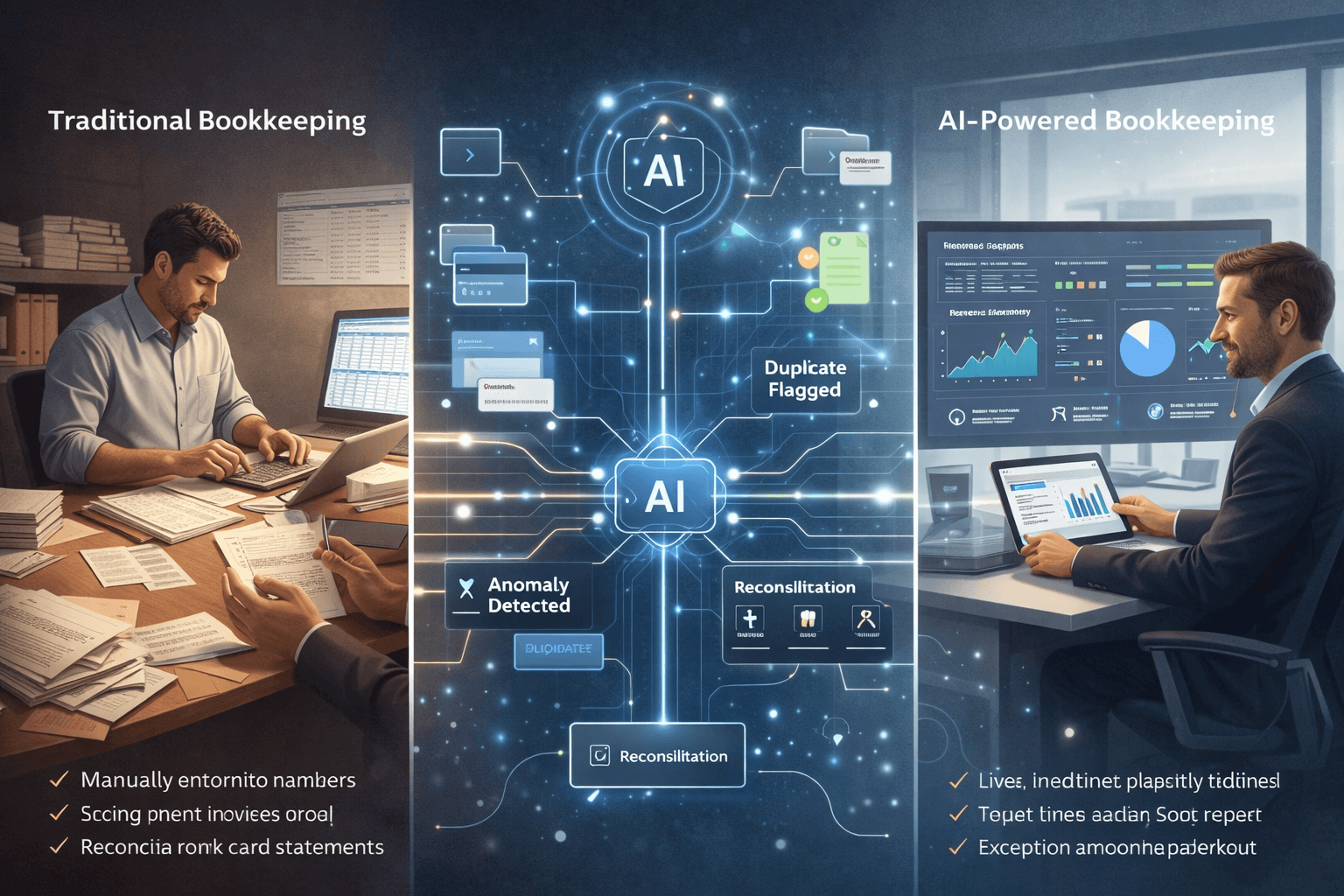
    Traditional Bookkeeping vs AI-Powered Bookkeeping

    Here’s a practical comparison to make the difference clear:

    Traditional Bookkeeping

    • Manual data entry or semi-manual uploads
    • Monthly or quarterly updates
    • Higher risk of human error
    • Delayed visibility into cash flow
    • Heavy dependence on accountants or bookkeepers
    • Stressful tax-season catch-up

    AI-Powered Bookkeeping

    • Automatic transaction syncing
    • Real-time or near real-time updates
    • Consistent categorization using AI models
    • Always-on financial visibility
    • Lower operational cost over time
    • Fewer surprises during audits or tax filing

    The shift isn’t just about speed it’s about confidence and control.


    How Does AI Bookkeeping Actually Work?

    AI bookkeeping systems typically follow this flow:

    1. Automated Data Collection

    The software connects securely to your:

    • Bank accounts
    • Credit cards
    • Payment gateways
    • Invoicing tools

    Transactions flow in automatically, without uploads or spreadsheets.

    2. Smart Categorization

    AI models analyze:

    • Transaction descriptions
    • Vendor history
    • Past categorization patterns

    Based on this, expenses are categorized (e.g., marketing, software, travel) with increasing accuracy over time.

    3. Continuous Reconciliation

    Instead of reconciling once a month, AI systems:

    • Match transactions continuously
    • Flag mismatches or missing entries
    • Reduce end-of-month workload

    4. Exception Handling

    Rather than reviewing everything, humans only step in when:

    • Transactions look unusual
    • Amounts fall outside normal ranges
    • Compliance rules require validation

    This “exception-first” approach is what makes bookkeeping automation scalable.


    Why AI Bookkeeping Matters Today (2024–2025)

    AI bookkeeping isn’t just a nice-to-have anymore. It solves real problems businesses face right now.

    1. Manual Data Entry Errors Are Costly

    Human entry errors can lead to:

    • Incorrect tax filings
    • Missed deductions
    • Compliance penalties

    According to industry studies cited by accounting bodies like the AICPA, manual processes remain one of the biggest sources of financial inaccuracies. AI dramatically reduces this risk through consistency and pattern recognition.

    2. Businesses Need Real-Time Financial Visibility

    Waiting 30–60 days to know your cash position is no longer viable.

    AI bookkeeping gives:

    • Up-to-date cash flow insights
    • Clear expense trends
    • Early warning signs for overspending

    This is especially critical for startups and SMBs operating on tight margins.

    3. Accounting Costs Are Rising

    Hiring full-time bookkeepers or relying heavily on monthly accounting services is expensive.

    Bookkeeping automation for small businesses:

    • Reduces manual hours
    • Lowers recurring accounting costs
    • Allows accountants to focus on advisory, not data entry

    4. Tax-Season Panic Is Still Very Real

    Many businesses scramble at year-end because:

    • Books aren’t updated
    • Documents are scattered
    • Numbers don’t reconcile

    With AI bookkeeping, records stay continuously updated making tax filing more predictable and far less stressful.

    5. Compliance Requirements Are Increasing

    Governments worldwide are tightening reporting and audit standards. Official tax authority guidelines consistently emphasize accurate, timely record-keeping as a compliance requirement.

    AI bookkeeping helps maintain audit-ready books year-round, not just once a year.


    A Short Real-World Scenario

    Scenario:
    A 10-person SaaS startup processes hundreds of monthly transactions across subscriptions, cloud services, ads, and tools.

    Before AI bookkeeping:

    • Founder updates books once every 2 months
    • Accountant spends hours cleaning data
    • Cash flow surprises happen regularly

    After switching to AI bookkeeping:

    • Transactions are categorized automatically
    • Founder checks a live dashboard weekly
    • Accountant focuses on forecasting and tax planning

    The result? Better decisions, fewer surprises, and lower finance overhead.


    FAQs About AI Bookkeeping

    1. Is AI bookkeeping safe and secure?

    Yes. Reputable AI accounting software uses bank-grade encryption and follows data protection standards commonly referenced by financial regulators and industry bodies.

    2. Does AI bookkeeping replace accountants?

    No. It replaces manual bookkeeping tasks, not professional judgment. Accountants become advisors rather than data processors.

    3. Is AI bookkeeping suitable for very small businesses?

    Absolutely. In fact, small businesses benefit the most due to limited time and resources.

    4. How accurate is AI bookkeeping?

    Accuracy improves over time as the system learns from corrections and historical patterns. Many platforms reach higher consistency than manual entry.

    5. Can AI bookkeeping handle taxes?

    AI bookkeeping supports tax preparation by keeping clean records, but tax filing and strategy usually still involve a qualified professional.

    6. How long does it take to set up?

    Most AI bookkeeping tools can be set up in days, not weeks especially compared to traditional systems.


    Who Should Consider AI Bookkeeping?

    AI bookkeeping is ideal for:

    • Small business owners without finance teams
    • Startups scaling transaction volume quickly
    • Freelancers and consultants managing multiple income streams
    • Businesses tired of last-minute tax chaos
    • Founders who want real-time financial clarity

    If your business values accuracy, speed, and peace of mind, AI bookkeeping is no longer optional it’s becoming the standard way modern businesses manage their finances.


  • Smart Expense Tracking with AI Bookkeeping Tools

    Smart Expense Tracking with AI Bookkeeping Tools

    Why Traditional Expense Tracking Falls Short

    Most businesses still rely on:

    • Manual receipt uploads
    • Spreadsheet-based tracking
    • Rule-based categorization
    • Monthly or quarterly reviews

    This creates several real-world pain points:

    Common Expense Tracking Problems

    •   Lost receipts (especially from travel or client meetings)
    •   Misclassified expenses, leading to incorrect reports
    •   Delayed reimbursements, frustrating employees
    •   Poor visibility into spending, until it’s too late

    According to industry studies by firms like Gartner, finance teams spend 30–40% of their time on manual transaction processing and corrections time that could be spent on analysis and planning.


    How AI Transforms Expense Tracking

    AI expense tracking automates the entire workflow from the moment a receipt is created to when insights appear on dashboards.

    Let’s break it down step by step.


    Step-by-Step: How AI Expense Tracking Works

    1. AI Reads Receipts Automatically

    Using OCR (Optical Character Recognition) and machine learning, AI tools can:

    • Scan photos of receipts
    • Extract merchant name, date, amount, tax
    • Identify expense type (travel, meals, software, etc.)

      Example:
    Upload a taxi receipt → AI identifies it as travel expense, applies the correct tax rule, and tags it to the right project.

    No manual data entry needed.


    2. Bank & Card Feeds Sync in Real Time

    AI bookkeeping tools connect directly with:

    • Business bank accounts
    • Credit cards
    • Payment platforms

    Transactions are pulled in automatically and matched with receipts when available.

    This eliminates:

    • Duplicate entries
    • Missed transactions
    • End-of-month surprises

    Many platforms follow security standards aligned with institutions like Visa and major banking APIs.


    3. Smart Categorization (That Improves Over Time)

    Unlike rule-based systems, AI learns from behavior.

    It understands:

    • Vendor patterns
    • Past classifications
    • Industry-specific expenses

    So over time, accuracy improves without constant rule updates.

      Example:
    If “Google Workspace” is always categorized as Software Expense, AI remembers and applies it automatically.


    4. Real-Time Expense Reports & Dashboards

    Instead of waiting for month-end reports, AI gives you:

    • Live expense summaries
    • Department-wise spending
    • Category-level breakdowns
    • Budget vs actual views

    This helps founders and finance leaders make decisions based on current data, not outdated numbers.


    Real-Time Insights: Why They Matter

    Traditional expense tracking answers:

    “What did we spend last month?”

    AI expense tracking answers:

    “What are we spending right now and why?”

    Benefits of Real-Time Visibility

    • Spot overspending early
    • Control budgets proactively
    • Identify cost leaks instantly
    • Improve cash flow planning

    This shift from reactive to proactive finance is one of the biggest advantages of AI bookkeeping tools.


    Expense Tracking for Individuals vs Teams

    AI tools adapt differently depending on who’s using them.


    For Individuals & Founders

    Ideal for:

    • Solo founders
    • Freelancers
    • Consultants

    Key benefits:

    • Snap-and-upload receipts
    • Automatic categorization
    • Simple tax-ready reports
    • No accounting knowledge needed

      Perfect for anyone who hates spreadsheets.


    For Teams & Growing Businesses

    Designed for:

    • Startups
    • SMEs
    • Finance teams

    Advanced capabilities:

    • Employee expense submissions
    • Approval workflows
    • Policy enforcement
    • Faster reimbursements

    This reduces friction between employees and finance teams while maintaining control.


    How AI Solves Common Expense Pain Points

    🔹 Lost Receipts

    • Mobile receipt scanning
    • Auto-matching with bank transactions
    • Cloud-based storage

    🔹 Misclassified Expenses

    • AI learns from past behavior
    • Continuous improvement in accuracy
    • Reduced manual corrections

    🔹 Delayed Reimbursements

    • Faster submission → faster approval
    • Automated checks
    • Clear audit trails

    🔹 Poor Spending Visibility

    • Live dashboards
    • Category-level insights
    • Budget alerts

    Where Elmmetric Fits In (Naturally)

    Platforms like Elmmetric are designed for modern businesses that want smart expense tracking without complexity.

    Elmmetric combines:

    • AI-powered receipt reading
    • Automated categorization
    • Real-time expense insights
    • Clean, audit-ready records

    Instead of juggling multiple tools, users get expense tracking built directly into an AI-driven bookkeeping system.


    FAQs: AI Expense Tracking Explained

    1. Is AI expense tracking accurate?

    Yes. AI systems improve accuracy over time by learning from corrections and usage patterns, often outperforming manual entry.


    2. Can AI tools handle tax compliance?

    Most tools align with regional tax rules and guidelines from authorities like Internal Revenue Service or local equivalents, helping ensure compliant expense records.


    3. What happens if a receipt is missing?

    AI can still categorize expenses using bank data, merchant history, and transaction context.


    4. Is AI expense tracking secure?

    Reputable AI bookkeeping tools use bank-grade encryption and secure APIs to protect financial data.


    5. Can small teams use AI expense tracking?

    Absolutely. In fact, small teams benefit the most because automation replaces the need for dedicated finance staff.


    6. Does AI replace accountants?

    No. AI handles repetitive tasks so accountants can focus on analysis, compliance, and strategy.


    Key Features to Look for in AI Expense Tracking Tools

    When choosing a solution, prioritize tools that offer:

    •   AI-powered receipt scanning
    •   Real-time bank & card sync
    •   Smart, self-learning categorization
    •   Expense tracking for individuals & teams
    •   Approval workflows & reimbursements
    •   Real-time dashboards & reports
    •   Audit-ready records
    •   Seamless integration with bookkeeping

    Final Thoughts

    Smart expense tracking isn’t just about saving time it’s about gaining control over spending.

    With AI bookkeeping tools, businesses move from:

    • Manual → automated
    • Reactive → real-time
    • Error-prone → accurate

    As AI continues to mature, expense tracking will become less about data entry and more about financial clarity and smarter decisions.

    And for businesses ready to modernize, AI-powered platforms like Elmmetric show what the future of expense management looks like simple, intelligent, and built for scale.

  • How AI Bookkeeping Saves Time for Accountants

    How AI Bookkeeping Saves Time for Accountants

    Introduction: Accountants Don’t Lack Skill They Lack Time

    Modern accountants aren’t struggling because of a lack of expertise. They’re struggling because of time pressure.

    Long hours, repetitive work, last-minute client data, and intense tax-season deadlines have turned many accounting roles into operational bottlenecks rather than strategic ones. While clients increasingly expect advisory insights, most accountants still spend a significant portion of their day on manual bookkeeping tasks.

    This is where AI bookkeeping for accountants changes the equation not by replacing professionals, but by removing low-value work from their workflow.

    AI bookkeeping acts as an intelligent assistant that handles routine tasks in the background, allowing accountants to focus on what actually drives value: analysis, advisory, and client relationships.


    The Real Time Drain in Traditional Accounting Workflows

    Before understanding how AI helps, it’s important to identify where time is actually lost.

    Across small firms and large practices alike, the biggest time sinks include:

    • Manual data entry from bank statements and invoices
    • Repetitive transaction categorization
    • Reconciling mismatched entries across systems
    • Fixing inconsistent or incomplete client data
    • Rebuilding reports every month
    • Chasing clients for missing documents

    According to research and guidance from organizations like American Institute of CPAs, accountants often spend more time preparing data than analyzing it. That imbalance is exactly what AI bookkeeping is designed to fix.


    What Is AI Bookkeeping (From an Accountant’s Perspective)?

    AI bookkeeping refers to software that uses machine learning and rules-based automation to handle recurring accounting tasks with minimal manual intervention.

    Unlike basic automation or macros, AI systems learn from historical data, improve categorization accuracy over time, and flag anomalies instead of silently passing errors through.

    Think of AI bookkeeping as:

    • A junior associate that never gets tired
    • A system that improves accuracy with usage
    • A workflow layer that sits between raw data and final reporting

    Manual Work vs Strategic Work: The Shift AI Enables

    Traditional Breakdown (Without AI)

    A typical accountant’s time often looks like this:

    • 50–60% → Data entry, categorization, reconciliation
    • 20–30% → Reporting and compliance
    • 10–20% → Client advisory and analysis

    Optimized Breakdown (With AI Bookkeeping)

    After implementing accounting workflow automation, the shift is noticeable:

    • 15–25% → Oversight of automated tasks
    • 25–30% → Reporting and review
    • 40–50% → Advisory, forecasting, and client strategy

    The work doesn’t disappear it becomes higher leverage.


    How AI Bookkeeping Saves Time (Task by Task)

    1. Automated Data Entry

    Manual data entry is one of the most error-prone and time-consuming tasks in accounting.

    AI bookkeeping tools automatically:

    • Pull transactions from bank feeds
    • Read invoices and receipts using OCR
    • Sync data across accounting platforms

    Instead of typing numbers, accountants review and approve them.

    Time saved: Hours per client, every month
    Impact: Fewer errors, faster turnaround


    2. Intelligent Categorization

    Traditional rules-based categorization breaks easily when vendors change names or clients use inconsistent descriptions.

    AI categorization:

    • Learns from past decisions
    • Improves accuracy over time
    • Flags unusual or ambiguous entries

    This reduces the endless back-and-forth during reviews and month-end close.

    Time saved: Reduced rework
    Impact: Cleaner books with less supervision


    3. Faster Reconciliation

    Reconciliation is where small issues turn into major time drains.

    AI-powered reconciliation:

    • Matches transactions across sources automatically
    • Highlights discrepancies instead of forcing manual searches
    • Learns common reconciliation patterns

    Accountants move from hunting errors to resolving exceptions.

    Time saved: Days during month-end
    Impact: Predictable close timelines


    4. Automated Reporting

    Many firms still rebuild reports every month.

    AI bookkeeping systems:

    • Generate real-time financial statements
    • Auto-update dashboards as data changes
    • Standardize reporting across clients

    This consistency allows accountants to spend more time interpreting results instead of formatting them.

    Time saved: Recurring monthly effort
    Impact: More time for insights and discussions


    Faster Month-End Close Without the Chaos

    Month-end close is where inefficiencies compound.

    With AI bookkeeping:

    • Data is already categorized
    • Reconciliations are mostly complete
    • Exceptions are flagged early

    This leads to:

    • Shorter close cycles
    • Less overtime
    • Reduced stress during tax season

    Industry productivity studies referenced by accounting technology blogs consistently show that automation reduces close timelines by 30–50% in small and mid-sized firms.


    Handling More Clients Without Burnout

    One of the biggest advantages of bookkeeping automation tools is scalability.

    Instead of hiring aggressively just to keep up:

    • One accountant can manage more clients
    • Firms can grow without linear headcount increases
    • Senior staff can focus on complex cases and advisory

    This is especially valuable for:

    • Growing bookkeeping firms
    • Solo practitioners
    • Advisory-led accounting practices

    Tools like Elmmetric help enable this shift by handling data cleanup and preparation so accountants can focus on advisory conversations instead of spreadsheet corrections.


    Before vs After: A Simple Workflow Example

    Before AI Bookkeeping

    1. Client sends mixed bank statements and invoices
    2. Accountant manually enters transactions
    3. Categorization errors surface during reconciliation
    4. Reports are rebuilt at month-end
    5. Advisory time is squeezed or skipped

    After AI Bookkeeping

    1. Data syncs automatically
    2. AI categorizes and reconciles continuously
    3. Exceptions are flagged early
    4. Reports are always up to date
    5. Accountant reviews, advises, and plans

    The difference isn’t speed alone it’s predictability.


    Addressing Common Accountant Concerns (FAQs)

    Will AI bookkeeping replace accountants?

    No. AI replaces tasks, not professional judgment. Advisory, compliance interpretation, and client trust still require human expertise.

    Is AI bookkeeping accurate enough for professionals?

    Yes with oversight. Most systems improve accuracy over time and are designed to support review, not bypass it.

    Does this reduce billable hours?

    It shifts them. Many firms move from hourly billing to value-based or advisory pricing once low-value work is automated.

    Is it suitable for complex clients?

    AI handles routine work best, freeing accountants to focus on complex, high-risk areas where expertise matters most.


    What Accountants Should Look for in AI Bookkeeping Tools

    Not all automation tools are equal. Accountants should evaluate:

    • Accuracy and learning capability
    • Clear audit trails and transparency
    • Easy review and override controls
    • Compatibility with existing accounting software
    • Strong data security standards
    • Support for advisory-focused workflows

    The right AI bookkeeping solution should feel like an extension of your team, not another system to manage.


    Final Thoughts: Time Is the Real Asset

    AI bookkeeping isn’t about working faster it’s about working better.

    By automating repetitive tasks, reducing errors, and streamlining workflows, accountants reclaim time for strategic thinking, client relationships, and professional growth.

    For firms looking to scale sustainably and professionals looking to reduce burnout, AI bookkeeping is no longer optional it’s a competitive advantage.

  • Benefits of AI Bookkeeping for Small Businesses

    Benefits of AI Bookkeeping for Small Businesses

    Introduction: Why Small Business Bookkeeping Feels So Hard

    If you’re a founder or small business owner, chances are bookkeeping started as a DIY task.

    Maybe it was:

    • A Google Sheet updated once a week
    • A folder of invoices waiting to be sorted
    • A monthly scramble before talking to your accountant

    At first, it worked.

    But as transactions increased, things got messy:

    • Records stopped matching bank statements
    • Expenses went uncategorized
    • You had no clear picture of cash flow

    This is where AI bookkeeping for small businesses changes the game.

    Instead of treating bookkeeping as a manual, after-hours chore, AI turns it into an automated, real-time system that runs quietly in the background giving you clarity, control, and confidence.


    The Shift: From Manual Work to Bookkeeping Automation

    Traditional bookkeeping relies heavily on:

    • Manual data entry
    • Human categorization
    • Periodic reviews

    AI-powered bookkeeping flips this model.

    With bookkeeping automation, software:

    • Reads bank transactions automatically
    • Learns how to categorize expenses
    • Flags anomalies and missing data
    • Updates financial reports in real time

    The result? Less effort, fewer errors, and better decisions.

    Let’s break down the real, tangible benefits.


    1. Massive Time Savings for Founders & Teams

    The Problem

    Most founders don’t realize how much time bookkeeping consumes:

    • Logging into bank portals
    • Matching receipts to transactions
    • Fixing errors at month-end

    Even 15–20 minutes a day adds up to 10–15 hours per month.

    The AI Solution

    AI bookkeeping tools automatically:

    • Sync bank feeds
    • Categorize transactions
    • Extract data from invoices and receipts

    Platforms like Elmmetric help small businesses move away from spreadsheets and manual bookkeeping by handling this entire flow automatically.

    The Benefit

    • Save 80–90% of bookkeeping time
    • No more weekend reconciliation
    • More time for sales, hiring, and strategy

    2. Significant Cost Reduction Over Time

    The Problem

    Traditional bookkeeping costs grow as your business grows:

    • Higher accountant fees
    • Extra hours for cleanup
    • Charges for corrections and audits

    Many small businesses overpay simply because their books aren’t clean.

    The AI Solution

    AI bookkeeping:

    • Reduces dependency on hourly manual work
    • Prevents costly errors before they happen
    • Keeps books audit-ready year-round

    The Benefit

    • Lower accounting and cleanup costs
    • Fewer paid correction hours
    • Predictable monthly software pricing

    These automated accounting benefits compound over time especially as transaction volume increases.


    3. Real-Time Financial Insights (Not Last Month’s Numbers)

    The Problem

    Most founders operate with outdated data:

    • Profit reports that are weeks old
    • Cash flow surprises
    • No idea which expenses are growing

    Decisions get made on instinct instead of numbers.

    The AI Solution

    AI bookkeeping updates your financials daily or even instantly, giving access to:

    • Live profit & loss statements
    • Real-time cash flow visibility
    • Expense trend analysis

    The Benefit

    • Faster, data-backed decisions
    • Early detection of cash flow issues
    • Better budgeting and forecasting

    Instead of asking, “Can we afford this?” you already know the answer.


    4. Error Reduction & Cleaner Books

    The Problem

    Manual bookkeeping leads to:

    • Duplicate entries
    • Missed expenses
    • Wrong categorizations

    These errors snowball into tax issues and reporting confusion.

    The AI Solution

    AI systems:

    • Learn from past categorizations
    • Flag unusual or duplicate transactions
    • Cross-check totals automatically

    The Benefit

    • Higher accuracy with fewer corrections
    • Consistent records month after month
    • Less stress during tax season

    Clean books aren’t just nice to have they’re essential for growth.


    5. Better Compliance & Audit Readiness

    The Problem

    Compliance failures often happen because:

    • Documents are scattered
    • Records aren’t consistent
    • Transactions can’t be traced easily

    Audits become stressful and expensive.

    The AI Solution

    AI bookkeeping maintains:

    • Organized transaction trails
    • Automatically stored receipts
    • Consistent categorization

    The Benefit

    • Faster audits
    • Lower compliance risk
    • Easier collaboration with accountants

    Your accountant works with clean data, not against messy records.


    6. Scalability Without Extra Headcount

    The Problem

    As your business grows:

    • Transactions multiply
    • Complexity increases
    • Manual systems break

    Hiring more people just to manage books isn’t scalable.

    The AI Solution

    Bookkeeping automation scales effortlessly:

    • 100 or 10,000 transactions handled the same way
    • No slowdown as volume grows
    • No need for extra bookkeeping staff

    The Benefit

    • Growth without operational bottlenecks
    • Finance systems ready for expansion
    • Smooth transition from startup to scale-up

    Traditional Bookkeeping vs AI Bookkeeping

    FeatureTraditional BookkeepingAI Bookkeeping
    Data EntryManualAutomated
    AccuracyError-proneAI-validated
    ReportingMonthlyReal-time
    Cost StructureHourly-basedPredictable
    ScalabilityLimitedHigh
    Founder InvolvementHighMinimal

    Addressing Common Founder Pain Points

    AI bookkeeping directly solves these issues:

    • Founders doing bookkeeping themselves → Automation removes daily involvement
    • Inconsistent records → AI ensures uniform categorization
    • Dependency on external accountants → Accountants focus on strategy, not cleanup
    • Lack of financial clarity → Real-time dashboards replace guesswork

    FAQs: AI Bookkeeping for Small Businesses

    1. Is AI bookkeeping suitable for very small businesses?

    Yes. Even solo founders benefit from time savings and accuracy early on.

    2. Will AI replace my accountant?

    No. It supports accountants by providing clean, structured data.

    3. Is AI bookkeeping secure?

    Reputable platforms use bank-grade encryption and secure integrations.

    4. How long does setup take?

    Most tools can be set up in a few hours with bank and software integrations.

    5. What types of businesses benefit the most?

    Service businesses, startups, agencies, ecommerce brands, and consultants.


    Is AI Bookkeeping Right for Your Business Size?

    AI bookkeeping is ideal if:

    • You handle 20+ transactions per month
    • You want real-time financial clarity
    • You’re tired of spreadsheets and manual work
    • You’re planning to scale in the next 6–12 months

    For growing small businesses, platforms like Elmmetric make the transition from manual bookkeeping to intelligent automation smooth, practical, and cost-effective without disrupting daily operations.


    Final Thought

    AI bookkeeping isn’t about replacing people it’s about removing friction.

    For founders and CXOs, it means:

    • Less time on admin
    • Better financial visibility
    • Stronger decision-making

    And that’s a competitive advantage no spreadsheet can offer.

  • AI Bookkeeping for Freelancers: A Complete Guide

    AI Bookkeeping for Freelancers: A Complete Guide

    Introduction: Freelancing Is Hard Enough   Bookkeeping Shouldn’t Be

    If you’re a freelancer, solopreneur, or independent consultant, chances are you didn’t choose this path because you love spreadsheets, receipts, or tax rules.

    You chose it for:

    • Freedom
    • Flexible income
    • Creative or independent work

    Yet bookkeeping often becomes the most stressful, confusing, and neglected part of freelancing.

    That’s where AI bookkeeping for freelancers comes in.

    This guide explains   in simple, non-technical terms   how AI-powered bookkeeping works, what problems it solves, and how it helps freelancers save time, avoid penalties, and feel confident about their finances.

    No accounting background required.


    Common Bookkeeping Mistakes Freelancers Make (You’re Not Alone)

    Before we talk solutions, let’s talk reality. These are extremely common freelancer bookkeeping mistakes:

    1. Mixing Personal & Business Expenses

    Using the same bank account or card for groceries, rent, and client expenses makes tracking nearly impossible later.

    2. Tracking Income Irregularly

    Freelancers often earn from:

    • Multiple clients
    • Different platforms
    • Irregular payment cycles

    Manually tracking this almost always leads to missed income or confusion.

    3. Missing Legitimate Deductions

    Expenses like:

    • Internet
    • Software subscriptions
    • Home office costs
    • Travel

    Often go unclaimed simply because they weren’t tracked properly.

    4. Last-Minute Tax Panic

    Many freelancers only look at their finances right before tax deadlines, leading to stress, rushed decisions, and errors.

    5. Fear of Audits

    Poor records create anxiety   even if you’ve done nothing wrong.

    AI bookkeeping exists to fix exactly these problems.


    What Is AI Bookkeeping (In Plain English)?

    AI bookkeeping uses smart software to automatically:

    • Track your income
    • Categorize expenses
    • Match invoices to payments
    • Prepare tax-ready financial reports

    Instead of you manually entering numbers, the system learns from patterns and handles repetitive tasks for you.

    Think of it as a digital finance assistant, not an accountant replacement.


    Step-by-Step: How AI Bookkeeping Works for Freelancers

    Here’s what typically happens when a freelancer uses an AI bookkeeping tool:

    Step 1: Connect Your Accounts

    You securely connect:

    • Bank accounts
    • Credit cards
    • Payment platforms (like Stripe, PayPal, etc.)

    Step 2: Automatic Expense Tracking

    Every transaction is:

    • Pulled in automatically
    • Categorized (software, travel, meals, etc.)
    • Flagged if something looks unusual

    No more receipt hunting.

    Step 3: Income Categorization

    Payments are automatically labeled by:

    • Client
    • Project
    • Income type

    This is crucial for freelancers with irregular or multiple income streams.

    Step 4: Invoice Matching

    AI links:

    • Sent invoices
    • Received payments

    You instantly see what’s paid, pending, or overdue.

    Step 5: Tax-Ready Reports

    When tax season arrives, your data is already:

    • Organized
    • Categorized
    • Exportable for filing or sharing with a tax professional

    No last-minute scrambling.


    How AI Bookkeeping Simplifies Key Freelancer Tasks

    1. Invoices (No More Guesswork)

    AI tools track:

    • Who owes you money
    • How long invoices have been pending
    • Payment patterns

    This improves cash flow without constant follow-ups.

    2. Expense Tracking (Without Manual Work)

    Expenses are automatically:

    • Logged
    • Categorized
    • Stored with receipts

    This directly reduces missed deductions.

    3. Income Tracking (Even When It’s Irregular)

    AI bookkeeping shines here   it handles:

    • Variable monthly income
    • Multiple sources
    • One-off projects

    You always know where your money came from.

    4. Tax Preparation (Calm, Not Chaos)

    Your system continuously prepares:

    • Profit & loss summaries
    • Expense breakdowns
    • Annual reports

    Which aligns with freelancer tax guidelines published by government tax authorities.


    How Freelancers Save Time & Avoid Penalties

    Time Savings

    Freelancers using AI bookkeeping typically save:

    • Hours per month on manual tracking
    • Days during tax season

    That time goes back into paid work or rest.

    Penalty Prevention

    Accurate, consistent records help you:

    • File on time
    • Avoid underreporting income
    • Support claims if audited

    Government tax departments consistently emphasize record accuracy and retention as key compliance requirements for independent workers.


    Where Elmmetric Fits In (Subtle but Relevant)

    Modern freelancers need tools built for flexible, independent work, not traditional businesses.

    Elmmetric is an AI-driven bookkeeping option designed for modern independent workers   helping automate data cleanup, categorization, and reporting so freelancers can focus on client work instead of financial admin.

    It’s one of several emerging tools aligned with freelancer-first workflows.


    FAQs: AI Bookkeeping for Freelancers

    1. Do I need accounting knowledge to use AI bookkeeping?

    No. These tools are designed for non-accountants and guide you step by step.

    2. Is AI bookkeeping safe for my financial data?

    Reputable tools use encryption and bank-level security. Always check security standards before choosing.

    3. Can AI handle irregular freelancer income?

    Yes   this is one of its biggest advantages over manual spreadsheets.

    4. Will AI replace my accountant?

    No. It complements accountants by keeping your data clean and organized.

    5. What if I get audited?

    Clean, categorized records make audits far less stressful and easier to manage.

    6. Is AI bookkeeping expensive?

    Many tools cost far less than the time and stress saved   especially compared to penalties or missed deductions.

    7. When should freelancers start using AI bookkeeping?

    Ideally from day one   but it’s never too late to start.


    Freelancer Starter Checklist: Get Started with AI Bookkeeping

    Use this simple checklist to begin:

    •   Open a separate business bank account
    •   Stop mixing personal and business expenses
    •   Choose an AI bookkeeping tool
    •   Connect income and expense accounts
    •   Review categories monthly (5–10 minutes)
    •   Store digital copies of receipts
    •   Generate reports before tax deadlines

    Final Thoughts: Confidence Beats Chaos

    Freelancing shouldn’t feel financially overwhelming.

    AI bookkeeping for freelancers isn’t about complexity   it’s about:

    • Clarity
    • Control
    • Confidence

    With the right system in place, you spend less time worrying about numbers and more time growing your independent career.

    And that’s exactly how bookkeeping should feel.