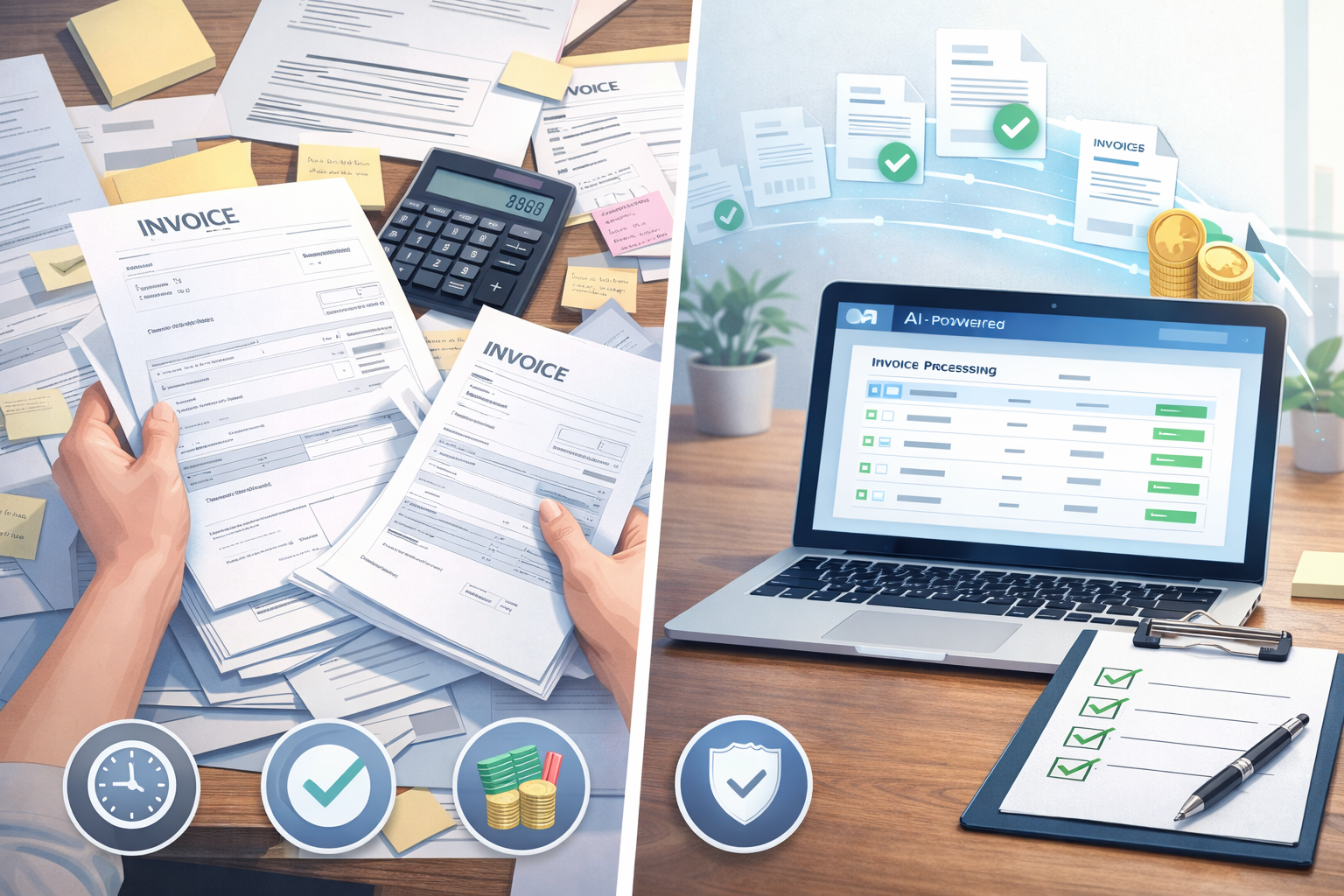
Blog

  • What Is AI Bookkeeping and Why It Matters

    What Is AI Bookkeeping and Why It Matters

    What Is Bookkeeping? (From First Principles)

    Before understanding AI bookkeeping, it helps to know what bookkeeping itself means.

    At its core, bookkeeping is the process of recording every financial transaction in your business, such as:

    • Sales and income
    • Expenses and bills
    • Bank transactions
    • Payroll entries
    • Taxes owed or paid

    Traditionally, this meant:

    • Manually entering data into spreadsheets or accounting software
    • Categorizing transactions one by one
    • Reconciling bank statements at month-end
    • Sending data to an accountant after everything happened

    Bookkeeping isn’t about strategy it’s about accuracy and consistency. And that’s exactly why automation fits so well here.


    What Is AI Bookkeeping?

    AI bookkeeping uses machine learning, rules engines, and automation to handle bookkeeping tasks automatically, with minimal human input.

    Instead of manually logging every transaction, AI-powered systems can:

    • Pull transactions directly from bank feeds
    • Automatically categorize income and expenses
    • Detect duplicates, anomalies, or missing entries
    • Reconcile accounts in near real time
    • Continuously learn from past behavior to improve accuracy

    In short, AI bookkeeping replaces repetitive human data entry with intelligent automation.

    Many modern platforms such as Elmmetric focus on this approach by combining automation with accounting logic, giving businesses clean books without making the process feel complex or “finance-heavy.”


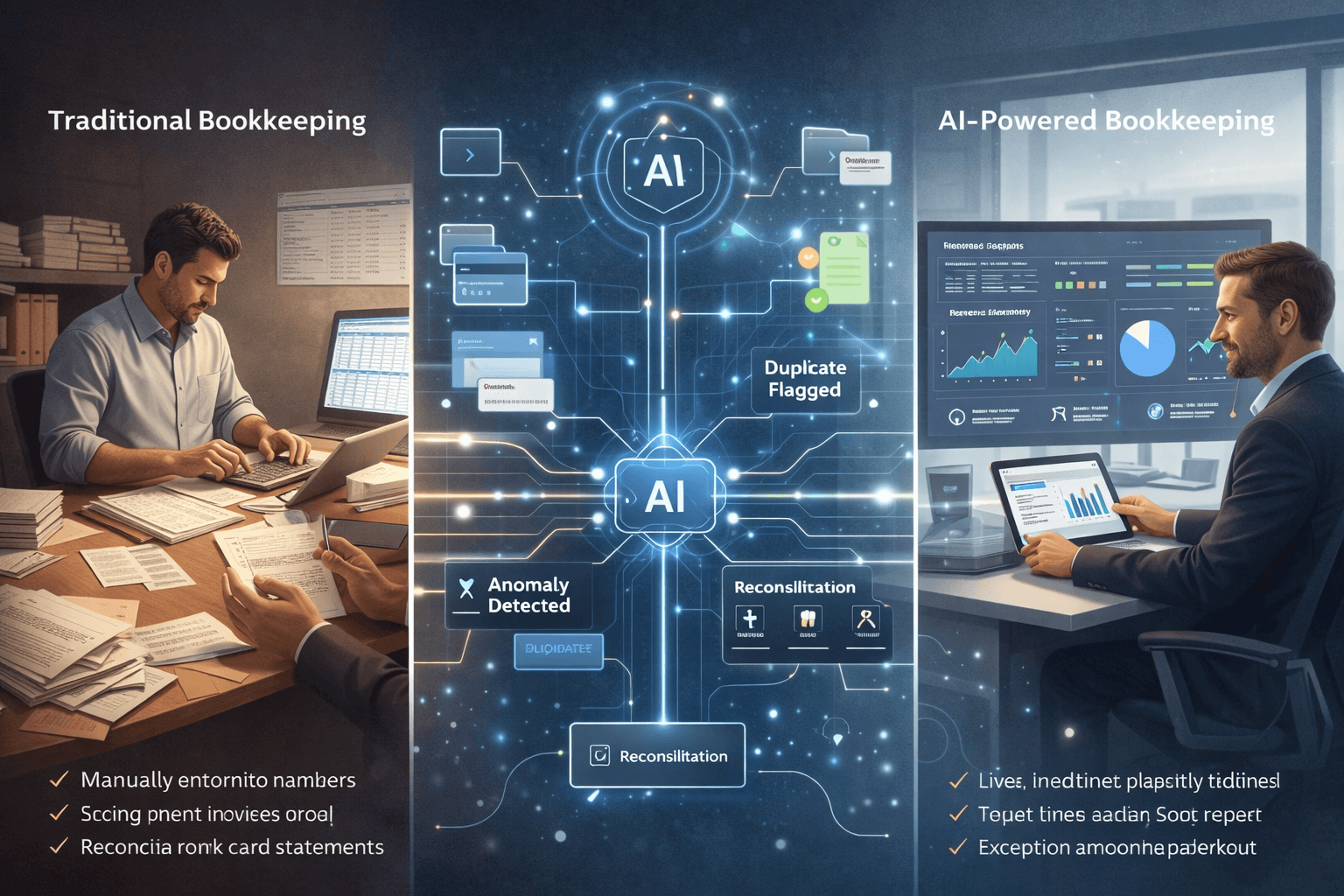
    Traditional Bookkeeping vs AI-Powered Bookkeeping

    Here’s a practical comparison to make the difference clear:

    Traditional Bookkeeping

    • Manual data entry or semi-manual uploads
    • Monthly or quarterly updates
    • Higher risk of human error
    • Delayed visibility into cash flow
    • Heavy dependence on accountants or bookkeepers
    • Stressful tax-season catch-up

    AI-Powered Bookkeeping

    • Automatic transaction syncing
    • Real-time or near real-time updates
    • Consistent categorization using AI models
    • Always-on financial visibility
    • Lower operational cost over time
    • Fewer surprises during audits or tax filing

    The shift isn’t just about speed it’s about confidence and control.


    How Does AI Bookkeeping Actually Work?

    AI bookkeeping systems typically follow this flow:

    1. Automated Data Collection

    The software connects securely to your:

    • Bank accounts
    • Credit cards
    • Payment gateways
    • Invoicing tools

    Transactions flow in automatically, without uploads or spreadsheets.

    2. Smart Categorization

    AI models analyze:

    • Transaction descriptions
    • Vendor history
    • Past categorization patterns

    Based on this, expenses are categorized (e.g., marketing, software, travel) with increasing accuracy over time.

    3. Continuous Reconciliation

    Instead of reconciling once a month, AI systems:

    • Match transactions continuously
    • Flag mismatches or missing entries
    • Reduce end-of-month workload

    4. Exception Handling

    Rather than reviewing everything, humans only step in when:

    • Transactions look unusual
    • Amounts fall outside normal ranges
    • Compliance rules require validation

    This “exception-first” approach is what makes bookkeeping automation scalable.


    Why AI Bookkeeping Matters Today (2024–2025)

    AI bookkeeping isn’t just a nice-to-have anymore. It solves real problems businesses face right now.

    1. Manual Data Entry Errors Are Costly

    Human entry errors can lead to:

    • Incorrect tax filings
    • Missed deductions
    • Compliance penalties

    According to industry studies cited by accounting bodies like the AICPA, manual processes remain one of the biggest sources of financial inaccuracies. AI dramatically reduces this risk through consistency and pattern recognition.

    2. Businesses Need Real-Time Financial Visibility

    Waiting 30–60 days to know your cash position is no longer viable.

    AI bookkeeping gives:

    • Up-to-date cash flow insights
    • Clear expense trends
    • Early warning signs for overspending

    This is especially critical for startups and SMBs operating on tight margins.

    3. Accounting Costs Are Rising

    Hiring full-time bookkeepers or relying heavily on monthly accounting services is expensive.

    Bookkeeping automation for small businesses:

    • Reduces manual hours
    • Lowers recurring accounting costs
    • Allows accountants to focus on advisory, not data entry

    4. Tax-Season Panic Is Still Very Real

    Many businesses scramble at year-end because:

    • Books aren’t updated
    • Documents are scattered
    • Numbers don’t reconcile

    With AI bookkeeping, records stay continuously updated making tax filing more predictable and far less stressful.

    5. Compliance Requirements Are Increasing

    Governments worldwide are tightening reporting and audit standards. Official tax authority guidelines consistently emphasize accurate, timely record-keeping as a compliance requirement.

    AI bookkeeping helps maintain audit-ready books year-round, not just once a year.


    A Short Real-World Scenario

    Scenario:
    A 10-person SaaS startup processes hundreds of monthly transactions across subscriptions, cloud services, ads, and tools.

    Before AI bookkeeping:

    • Founder updates books once every 2 months
    • Accountant spends hours cleaning data
    • Cash flow surprises happen regularly

    After switching to AI bookkeeping:

    • Transactions are categorized automatically
    • Founder checks a live dashboard weekly
    • Accountant focuses on forecasting and tax planning

    The result? Better decisions, fewer surprises, and lower finance overhead.


    FAQs About AI Bookkeeping

    1. Is AI bookkeeping safe and secure?

    Yes. Reputable AI accounting software uses bank-grade encryption and follows data protection standards commonly referenced by financial regulators and industry bodies.

    2. Does AI bookkeeping replace accountants?

    No. It replaces manual bookkeeping tasks, not professional judgment. Accountants become advisors rather than data processors.

    3. Is AI bookkeeping suitable for very small businesses?

    Absolutely. In fact, small businesses benefit the most due to limited time and resources.

    4. How accurate is AI bookkeeping?

    Accuracy improves over time as the system learns from corrections and historical patterns. Many platforms reach higher consistency than manual entry.

    5. Can AI bookkeeping handle taxes?

    AI bookkeeping supports tax preparation by keeping clean records, but tax filing and strategy usually still involve a qualified professional.

    6. How long does it take to set up?

    Most AI bookkeeping tools can be set up in days, not weeks especially compared to traditional systems.


    Who Should Consider AI Bookkeeping?

    AI bookkeeping is ideal for:

    • Small business owners without finance teams
    • Startups scaling transaction volume quickly
    • Freelancers and consultants managing multiple income streams
    • Businesses tired of last-minute tax chaos
    • Founders who want real-time financial clarity

    If your business values accuracy, speed, and peace of mind, AI bookkeeping is no longer optional it’s becoming the standard way modern businesses manage their finances.


  • Smart Expense Tracking with AI Bookkeeping Tools

    Smart Expense Tracking with AI Bookkeeping Tools

    Why Traditional Expense Tracking Falls Short

    Most businesses still rely on:

    • Manual receipt uploads
    • Spreadsheet-based tracking
    • Rule-based categorization
    • Monthly or quarterly reviews

    This creates several real-world pain points:

    Common Expense Tracking Problems

    •   Lost receipts (especially from travel or client meetings)
    •   Misclassified expenses, leading to incorrect reports
    •   Delayed reimbursements, frustrating employees
    •   Poor visibility into spending, until it’s too late

    According to industry studies by firms like Gartner, finance teams spend 30–40% of their time on manual transaction processing and corrections time that could be spent on analysis and planning.


    How AI Transforms Expense Tracking

    AI expense tracking automates the entire workflow from the moment a receipt is created to when insights appear on dashboards.

    Let’s break it down step by step.


    Step-by-Step: How AI Expense Tracking Works

    1. AI Reads Receipts Automatically

    Using OCR (Optical Character Recognition) and machine learning, AI tools can:

    • Scan photos of receipts
    • Extract merchant name, date, amount, tax
    • Identify expense type (travel, meals, software, etc.)

      Example:
    Upload a taxi receipt → AI identifies it as travel expense, applies the correct tax rule, and tags it to the right project.

    No manual data entry needed.


    2. Bank & Card Feeds Sync in Real Time

    AI bookkeeping tools connect directly with:

    • Business bank accounts
    • Credit cards
    • Payment platforms

    Transactions are pulled in automatically and matched with receipts when available.

    This eliminates:

    • Duplicate entries
    • Missed transactions
    • End-of-month surprises

    Many platforms follow security standards aligned with institutions like Visa and major banking APIs.


    3. Smart Categorization (That Improves Over Time)

    Unlike rule-based systems, AI learns from behavior.

    It understands:

    • Vendor patterns
    • Past classifications
    • Industry-specific expenses

    So over time, accuracy improves without constant rule updates.

      Example:
    If “Google Workspace” is always categorized as Software Expense, AI remembers and applies it automatically.


    4. Real-Time Expense Reports & Dashboards

    Instead of waiting for month-end reports, AI gives you:

    • Live expense summaries
    • Department-wise spending
    • Category-level breakdowns
    • Budget vs actual views

    This helps founders and finance leaders make decisions based on current data, not outdated numbers.


    Real-Time Insights: Why They Matter

    Traditional expense tracking answers:

    “What did we spend last month?”

    AI expense tracking answers:

    “What are we spending right now and why?”

    Benefits of Real-Time Visibility

    • Spot overspending early
    • Control budgets proactively
    • Identify cost leaks instantly
    • Improve cash flow planning

    This shift from reactive to proactive finance is one of the biggest advantages of AI bookkeeping tools.


    Expense Tracking for Individuals vs Teams

    AI tools adapt differently depending on who’s using them.


    For Individuals & Founders

    Ideal for:

    • Solo founders
    • Freelancers
    • Consultants

    Key benefits:

    • Snap-and-upload receipts
    • Automatic categorization
    • Simple tax-ready reports
    • No accounting knowledge needed

      Perfect for anyone who hates spreadsheets.


    For Teams & Growing Businesses

    Designed for:

    • Startups
    • SMEs
    • Finance teams

    Advanced capabilities:

    • Employee expense submissions
    • Approval workflows
    • Policy enforcement
    • Faster reimbursements

    This reduces friction between employees and finance teams while maintaining control.


    How AI Solves Common Expense Pain Points

    🔹 Lost Receipts

    • Mobile receipt scanning
    • Auto-matching with bank transactions
    • Cloud-based storage

    🔹 Misclassified Expenses

    • AI learns from past behavior
    • Continuous improvement in accuracy
    • Reduced manual corrections

    🔹 Delayed Reimbursements

    • Faster submission → faster approval
    • Automated checks
    • Clear audit trails

    🔹 Poor Spending Visibility

    • Live dashboards
    • Category-level insights
    • Budget alerts

    Where Elmmetric Fits In (Naturally)

    Platforms like Elmmetric are designed for modern businesses that want smart expense tracking without complexity.

    Elmmetric combines:

    • AI-powered receipt reading
    • Automated categorization
    • Real-time expense insights
    • Clean, audit-ready records

    Instead of juggling multiple tools, users get expense tracking built directly into an AI-driven bookkeeping system.


    FAQs: AI Expense Tracking Explained

    1. Is AI expense tracking accurate?

    Yes. AI systems improve accuracy over time by learning from corrections and usage patterns, often outperforming manual entry.


    2. Can AI tools handle tax compliance?

    Most tools align with regional tax rules and guidelines from authorities like Internal Revenue Service or local equivalents, helping ensure compliant expense records.


    3. What happens if a receipt is missing?

    AI can still categorize expenses using bank data, merchant history, and transaction context.


    4. Is AI expense tracking secure?

    Reputable AI bookkeeping tools use bank-grade encryption and secure APIs to protect financial data.


    5. Can small teams use AI expense tracking?

    Absolutely. In fact, small teams benefit the most because automation replaces the need for dedicated finance staff.


    6. Does AI replace accountants?

    No. AI handles repetitive tasks so accountants can focus on analysis, compliance, and strategy.


    Key Features to Look for in AI Expense Tracking Tools

    When choosing a solution, prioritize tools that offer:

    •   AI-powered receipt scanning
    •   Real-time bank & card sync
    •   Smart, self-learning categorization
    •   Expense tracking for individuals & teams
    •   Approval workflows & reimbursements
    •   Real-time dashboards & reports
    •   Audit-ready records
    •   Seamless integration with bookkeeping

    Final Thoughts

    Smart expense tracking isn’t just about saving time it’s about gaining control over spending.

    With AI bookkeeping tools, businesses move from:

    • Manual → automated
    • Reactive → real-time
    • Error-prone → accurate

    As AI continues to mature, expense tracking will become less about data entry and more about financial clarity and smarter decisions.

    And for businesses ready to modernize, AI-powered platforms like Elmmetric show what the future of expense management looks like simple, intelligent, and built for scale.

  • How AI Bookkeeping Saves Time for Accountants

    How AI Bookkeeping Saves Time for Accountants

    Introduction: Accountants Don’t Lack Skill They Lack Time

    Modern accountants aren’t struggling because of a lack of expertise. They’re struggling because of time pressure.

    Long hours, repetitive work, last-minute client data, and intense tax-season deadlines have turned many accounting roles into operational bottlenecks rather than strategic ones. While clients increasingly expect advisory insights, most accountants still spend a significant portion of their day on manual bookkeeping tasks.

    This is where AI bookkeeping for accountants changes the equation not by replacing professionals, but by removing low-value work from their workflow.

    AI bookkeeping acts as an intelligent assistant that handles routine tasks in the background, allowing accountants to focus on what actually drives value: analysis, advisory, and client relationships.


    The Real Time Drain in Traditional Accounting Workflows

    Before understanding how AI helps, it’s important to identify where time is actually lost.

    Across small firms and large practices alike, the biggest time sinks include:

    • Manual data entry from bank statements and invoices
    • Repetitive transaction categorization
    • Reconciling mismatched entries across systems
    • Fixing inconsistent or incomplete client data
    • Rebuilding reports every month
    • Chasing clients for missing documents

    According to research and guidance from organizations like American Institute of CPAs, accountants often spend more time preparing data than analyzing it. That imbalance is exactly what AI bookkeeping is designed to fix.


    What Is AI Bookkeeping (From an Accountant’s Perspective)?

    AI bookkeeping refers to software that uses machine learning and rules-based automation to handle recurring accounting tasks with minimal manual intervention.

    Unlike basic automation or macros, AI systems learn from historical data, improve categorization accuracy over time, and flag anomalies instead of silently passing errors through.

    Think of AI bookkeeping as:

    • A junior associate that never gets tired
    • A system that improves accuracy with usage
    • A workflow layer that sits between raw data and final reporting

    Manual Work vs Strategic Work: The Shift AI Enables

    Traditional Breakdown (Without AI)

    A typical accountant’s time often looks like this:

    • 50–60% → Data entry, categorization, reconciliation
    • 20–30% → Reporting and compliance
    • 10–20% → Client advisory and analysis

    Optimized Breakdown (With AI Bookkeeping)

    After implementing accounting workflow automation, the shift is noticeable:

    • 15–25% → Oversight of automated tasks
    • 25–30% → Reporting and review
    • 40–50% → Advisory, forecasting, and client strategy

    The work doesn’t disappear it becomes higher leverage.


    How AI Bookkeeping Saves Time (Task by Task)

    1. Automated Data Entry

    Manual data entry is one of the most error-prone and time-consuming tasks in accounting.

    AI bookkeeping tools automatically:

    • Pull transactions from bank feeds
    • Read invoices and receipts using OCR
    • Sync data across accounting platforms

    Instead of typing numbers, accountants review and approve them.

    Time saved: Hours per client, every month
    Impact: Fewer errors, faster turnaround


    2. Intelligent Categorization

    Traditional rules-based categorization breaks easily when vendors change names or clients use inconsistent descriptions.

    AI categorization:

    • Learns from past decisions
    • Improves accuracy over time
    • Flags unusual or ambiguous entries

    This reduces the endless back-and-forth during reviews and month-end close.

    Time saved: Reduced rework
    Impact: Cleaner books with less supervision


    3. Faster Reconciliation

    Reconciliation is where small issues turn into major time drains.

    AI-powered reconciliation:

    • Matches transactions across sources automatically
    • Highlights discrepancies instead of forcing manual searches
    • Learns common reconciliation patterns

    Accountants move from hunting errors to resolving exceptions.

    Time saved: Days during month-end
    Impact: Predictable close timelines


    4. Automated Reporting

    Many firms still rebuild reports every month.

    AI bookkeeping systems:

    • Generate real-time financial statements
    • Auto-update dashboards as data changes
    • Standardize reporting across clients

    This consistency allows accountants to spend more time interpreting results instead of formatting them.

    Time saved: Recurring monthly effort
    Impact: More time for insights and discussions


    Faster Month-End Close Without the Chaos

    Month-end close is where inefficiencies compound.

    With AI bookkeeping:

    • Data is already categorized
    • Reconciliations are mostly complete
    • Exceptions are flagged early

    This leads to:

    • Shorter close cycles
    • Less overtime
    • Reduced stress during tax season

    Industry productivity studies referenced by accounting technology blogs consistently show that automation reduces close timelines by 30–50% in small and mid-sized firms.


    Handling More Clients Without Burnout

    One of the biggest advantages of bookkeeping automation tools is scalability.

    Instead of hiring aggressively just to keep up:

    • One accountant can manage more clients
    • Firms can grow without linear headcount increases
    • Senior staff can focus on complex cases and advisory

    This is especially valuable for:

    • Growing bookkeeping firms
    • Solo practitioners
    • Advisory-led accounting practices

    Tools like Elmmetric help enable this shift by handling data cleanup and preparation so accountants can focus on advisory conversations instead of spreadsheet corrections.


    Before vs After: A Simple Workflow Example

    Before AI Bookkeeping

    1. Client sends mixed bank statements and invoices
    2. Accountant manually enters transactions
    3. Categorization errors surface during reconciliation
    4. Reports are rebuilt at month-end
    5. Advisory time is squeezed or skipped

    After AI Bookkeeping

    1. Data syncs automatically
    2. AI categorizes and reconciles continuously
    3. Exceptions are flagged early
    4. Reports are always up to date
    5. Accountant reviews, advises, and plans

    The difference isn’t speed alone it’s predictability.


    Addressing Common Accountant Concerns (FAQs)

    Will AI bookkeeping replace accountants?

    No. AI replaces tasks, not professional judgment. Advisory, compliance interpretation, and client trust still require human expertise.

    Is AI bookkeeping accurate enough for professionals?

    Yes with oversight. Most systems improve accuracy over time and are designed to support review, not bypass it.

    Does this reduce billable hours?

    It shifts them. Many firms move from hourly billing to value-based or advisory pricing once low-value work is automated.

    Is it suitable for complex clients?

    AI handles routine work best, freeing accountants to focus on complex, high-risk areas where expertise matters most.


    What Accountants Should Look for in AI Bookkeeping Tools

    Not all automation tools are equal. Accountants should evaluate:

    • Accuracy and learning capability
    • Clear audit trails and transparency
    • Easy review and override controls
    • Compatibility with existing accounting software
    • Strong data security standards
    • Support for advisory-focused workflows

    The right AI bookkeeping solution should feel like an extension of your team, not another system to manage.


    Final Thoughts: Time Is the Real Asset

    AI bookkeeping isn’t about working faster it’s about working better.

    By automating repetitive tasks, reducing errors, and streamlining workflows, accountants reclaim time for strategic thinking, client relationships, and professional growth.

    For firms looking to scale sustainably and professionals looking to reduce burnout, AI bookkeeping is no longer optional it’s a competitive advantage.

  • Benefits of AI Bookkeeping for Small Businesses

    Benefits of AI Bookkeeping for Small Businesses

    Introduction: Why Small Business Bookkeeping Feels So Hard

    If you’re a founder or small business owner, chances are bookkeeping started as a DIY task.

    Maybe it was:

    • A Google Sheet updated once a week
    • A folder of invoices waiting to be sorted
    • A monthly scramble before talking to your accountant

    At first, it worked.

    But as transactions increased, things got messy:

    • Records stopped matching bank statements
    • Expenses went uncategorized
    • You had no clear picture of cash flow

    This is where AI bookkeeping for small businesses changes the game.

    Instead of treating bookkeeping as a manual, after-hours chore, AI turns it into an automated, real-time system that runs quietly in the background giving you clarity, control, and confidence.


    The Shift: From Manual Work to Bookkeeping Automation

    Traditional bookkeeping relies heavily on:

    • Manual data entry
    • Human categorization
    • Periodic reviews

    AI-powered bookkeeping flips this model.

    With bookkeeping automation, software:

    • Reads bank transactions automatically
    • Learns how to categorize expenses
    • Flags anomalies and missing data
    • Updates financial reports in real time

    The result? Less effort, fewer errors, and better decisions.

    Let’s break down the real, tangible benefits.


    1. Massive Time Savings for Founders & Teams

    The Problem

    Most founders don’t realize how much time bookkeeping consumes:

    • Logging into bank portals
    • Matching receipts to transactions
    • Fixing errors at month-end

    Even 15–20 minutes a day adds up to 10–15 hours per month.

    The AI Solution

    AI bookkeeping tools automatically:

    • Sync bank feeds
    • Categorize transactions
    • Extract data from invoices and receipts

    Platforms like Elmmetric help small businesses move away from spreadsheets and manual bookkeeping by handling this entire flow automatically.

    The Benefit

    • Save 80–90% of bookkeeping time
    • No more weekend reconciliation
    • More time for sales, hiring, and strategy

    2. Significant Cost Reduction Over Time

    The Problem

    Traditional bookkeeping costs grow as your business grows:

    • Higher accountant fees
    • Extra hours for cleanup
    • Charges for corrections and audits

    Many small businesses overpay simply because their books aren’t clean.

    The AI Solution

    AI bookkeeping:

    • Reduces dependency on hourly manual work
    • Prevents costly errors before they happen
    • Keeps books audit-ready year-round

    The Benefit

    • Lower accounting and cleanup costs
    • Fewer paid correction hours
    • Predictable monthly software pricing

    These automated accounting benefits compound over time especially as transaction volume increases.


    3. Real-Time Financial Insights (Not Last Month’s Numbers)

    The Problem

    Most founders operate with outdated data:

    • Profit reports that are weeks old
    • Cash flow surprises
    • No idea which expenses are growing

    Decisions get made on instinct instead of numbers.

    The AI Solution

    AI bookkeeping updates your financials daily or even instantly, giving access to:

    • Live profit & loss statements
    • Real-time cash flow visibility
    • Expense trend analysis

    The Benefit

    • Faster, data-backed decisions
    • Early detection of cash flow issues
    • Better budgeting and forecasting

    Instead of asking, “Can we afford this?” you already know the answer.


    4. Error Reduction & Cleaner Books

    The Problem

    Manual bookkeeping leads to:

    • Duplicate entries
    • Missed expenses
    • Wrong categorizations

    These errors snowball into tax issues and reporting confusion.

    The AI Solution

    AI systems:

    • Learn from past categorizations
    • Flag unusual or duplicate transactions
    • Cross-check totals automatically

    The Benefit

    • Higher accuracy with fewer corrections
    • Consistent records month after month
    • Less stress during tax season

    Clean books aren’t just nice to have they’re essential for growth.


    5. Better Compliance & Audit Readiness

    The Problem

    Compliance failures often happen because:

    • Documents are scattered
    • Records aren’t consistent
    • Transactions can’t be traced easily

    Audits become stressful and expensive.

    The AI Solution

    AI bookkeeping maintains:

    • Organized transaction trails
    • Automatically stored receipts
    • Consistent categorization

    The Benefit

    • Faster audits
    • Lower compliance risk
    • Easier collaboration with accountants

    Your accountant works with clean data, not against messy records.


    6. Scalability Without Extra Headcount

    The Problem

    As your business grows:

    • Transactions multiply
    • Complexity increases
    • Manual systems break

    Hiring more people just to manage books isn’t scalable.

    The AI Solution

    Bookkeeping automation scales effortlessly:

    • 100 or 10,000 transactions handled the same way
    • No slowdown as volume grows
    • No need for extra bookkeeping staff

    The Benefit

    • Growth without operational bottlenecks
    • Finance systems ready for expansion
    • Smooth transition from startup to scale-up

    Traditional Bookkeeping vs AI Bookkeeping

    FeatureTraditional BookkeepingAI Bookkeeping
    Data EntryManualAutomated
    AccuracyError-proneAI-validated
    ReportingMonthlyReal-time
    Cost StructureHourly-basedPredictable
    ScalabilityLimitedHigh
    Founder InvolvementHighMinimal

    Addressing Common Founder Pain Points

    AI bookkeeping directly solves these issues:

    • Founders doing bookkeeping themselves → Automation removes daily involvement
    • Inconsistent records → AI ensures uniform categorization
    • Dependency on external accountants → Accountants focus on strategy, not cleanup
    • Lack of financial clarity → Real-time dashboards replace guesswork

    FAQs: AI Bookkeeping for Small Businesses

    1. Is AI bookkeeping suitable for very small businesses?

    Yes. Even solo founders benefit from time savings and accuracy early on.

    2. Will AI replace my accountant?

    No. It supports accountants by providing clean, structured data.

    3. Is AI bookkeeping secure?

    Reputable platforms use bank-grade encryption and secure integrations.

    4. How long does setup take?

    Most tools can be set up in a few hours with bank and software integrations.

    5. What types of businesses benefit the most?

    Service businesses, startups, agencies, ecommerce brands, and consultants.


    Is AI Bookkeeping Right for Your Business Size?

    AI bookkeeping is ideal if:

    • You handle 20+ transactions per month
    • You want real-time financial clarity
    • You’re tired of spreadsheets and manual work
    • You’re planning to scale in the next 6–12 months

    For growing small businesses, platforms like Elmmetric make the transition from manual bookkeeping to intelligent automation smooth, practical, and cost-effective without disrupting daily operations.


    Final Thought

    AI bookkeeping isn’t about replacing people it’s about removing friction.

    For founders and CXOs, it means:

    • Less time on admin
    • Better financial visibility
    • Stronger decision-making

    And that’s a competitive advantage no spreadsheet can offer.

  • AI Bookkeeping for Freelancers: A Complete Guide

    AI Bookkeeping for Freelancers: A Complete Guide

    Introduction: Freelancing Is Hard Enough   Bookkeeping Shouldn’t Be

    If you’re a freelancer, solopreneur, or independent consultant, chances are you didn’t choose this path because you love spreadsheets, receipts, or tax rules.

    You chose it for:

    • Freedom
    • Flexible income
    • Creative or independent work

    Yet bookkeeping often becomes the most stressful, confusing, and neglected part of freelancing.

    That’s where AI bookkeeping for freelancers comes in.

    This guide explains   in simple, non-technical terms   how AI-powered bookkeeping works, what problems it solves, and how it helps freelancers save time, avoid penalties, and feel confident about their finances.

    No accounting background required.


    Common Bookkeeping Mistakes Freelancers Make (You’re Not Alone)

    Before we talk solutions, let’s talk reality. These are extremely common freelancer bookkeeping mistakes:

    1. Mixing Personal & Business Expenses

    Using the same bank account or card for groceries, rent, and client expenses makes tracking nearly impossible later.

    2. Tracking Income Irregularly

    Freelancers often earn from:

    • Multiple clients
    • Different platforms
    • Irregular payment cycles

    Manually tracking this almost always leads to missed income or confusion.

    3. Missing Legitimate Deductions

    Expenses like:

    • Internet
    • Software subscriptions
    • Home office costs
    • Travel

    Often go unclaimed simply because they weren’t tracked properly.

    4. Last-Minute Tax Panic

    Many freelancers only look at their finances right before tax deadlines, leading to stress, rushed decisions, and errors.

    5. Fear of Audits

    Poor records create anxiety   even if you’ve done nothing wrong.

    AI bookkeeping exists to fix exactly these problems.


    What Is AI Bookkeeping (In Plain English)?

    AI bookkeeping uses smart software to automatically:

    • Track your income
    • Categorize expenses
    • Match invoices to payments
    • Prepare tax-ready financial reports

    Instead of you manually entering numbers, the system learns from patterns and handles repetitive tasks for you.

    Think of it as a digital finance assistant, not an accountant replacement.


    Step-by-Step: How AI Bookkeeping Works for Freelancers

    Here’s what typically happens when a freelancer uses an AI bookkeeping tool:

    Step 1: Connect Your Accounts

    You securely connect:

    • Bank accounts
    • Credit cards
    • Payment platforms (like Stripe, PayPal, etc.)

    Step 2: Automatic Expense Tracking

    Every transaction is:

    • Pulled in automatically
    • Categorized (software, travel, meals, etc.)
    • Flagged if something looks unusual

    No more receipt hunting.

    Step 3: Income Categorization

    Payments are automatically labeled by:

    • Client
    • Project
    • Income type

    This is crucial for freelancers with irregular or multiple income streams.

    Step 4: Invoice Matching

    AI links:

    • Sent invoices
    • Received payments

    You instantly see what’s paid, pending, or overdue.

    Step 5: Tax-Ready Reports

    When tax season arrives, your data is already:

    • Organized
    • Categorized
    • Exportable for filing or sharing with a tax professional

    No last-minute scrambling.


    How AI Bookkeeping Simplifies Key Freelancer Tasks

    1. Invoices (No More Guesswork)

    AI tools track:

    • Who owes you money
    • How long invoices have been pending
    • Payment patterns

    This improves cash flow without constant follow-ups.

    2. Expense Tracking (Without Manual Work)

    Expenses are automatically:

    • Logged
    • Categorized
    • Stored with receipts

    This directly reduces missed deductions.

    3. Income Tracking (Even When It’s Irregular)

    AI bookkeeping shines here   it handles:

    • Variable monthly income
    • Multiple sources
    • One-off projects

    You always know where your money came from.

    4. Tax Preparation (Calm, Not Chaos)

    Your system continuously prepares:

    • Profit & loss summaries
    • Expense breakdowns
    • Annual reports

    Which aligns with freelancer tax guidelines published by government tax authorities.


    How Freelancers Save Time & Avoid Penalties

    Time Savings

    Freelancers using AI bookkeeping typically save:

    • Hours per month on manual tracking
    • Days during tax season

    That time goes back into paid work or rest.

    Penalty Prevention

    Accurate, consistent records help you:

    • File on time
    • Avoid underreporting income
    • Support claims if audited

    Government tax departments consistently emphasize record accuracy and retention as key compliance requirements for independent workers.


    Where Elmmetric Fits In (Subtle but Relevant)

    Modern freelancers need tools built for flexible, independent work, not traditional businesses.

    Elmmetric is an AI-driven bookkeeping option designed for modern independent workers   helping automate data cleanup, categorization, and reporting so freelancers can focus on client work instead of financial admin.

    It’s one of several emerging tools aligned with freelancer-first workflows.


    FAQs: AI Bookkeeping for Freelancers

    1. Do I need accounting knowledge to use AI bookkeeping?

    No. These tools are designed for non-accountants and guide you step by step.

    2. Is AI bookkeeping safe for my financial data?

    Reputable tools use encryption and bank-level security. Always check security standards before choosing.

    3. Can AI handle irregular freelancer income?

    Yes   this is one of its biggest advantages over manual spreadsheets.

    4. Will AI replace my accountant?

    No. It complements accountants by keeping your data clean and organized.

    5. What if I get audited?

    Clean, categorized records make audits far less stressful and easier to manage.

    6. Is AI bookkeeping expensive?

    Many tools cost far less than the time and stress saved   especially compared to penalties or missed deductions.

    7. When should freelancers start using AI bookkeeping?

    Ideally from day one   but it’s never too late to start.


    Freelancer Starter Checklist: Get Started with AI Bookkeeping

    Use this simple checklist to begin:

    •   Open a separate business bank account
    •   Stop mixing personal and business expenses
    •   Choose an AI bookkeeping tool
    •   Connect income and expense accounts
    •   Review categories monthly (5–10 minutes)
    •   Store digital copies of receipts
    •   Generate reports before tax deadlines

    Final Thoughts: Confidence Beats Chaos

    Freelancing shouldn’t feel financially overwhelming.

    AI bookkeeping for freelancers isn’t about complexity   it’s about:

    • Clarity
    • Control
    • Confidence

    With the right system in place, you spend less time worrying about numbers and more time growing your independent career.

    And that’s exactly how bookkeeping should feel.